What to Look for in an AI Note Taking App
Choosing an AI note taking app sounds simple until you try a few. One gives you a polished summary but misses the nuance. Another creates meeting notes but cannot handle PDFs. A third produces pages of text that look useful, yet do not help you remember or act on anything.
The real question is not “Which app has the most AI?” It is: which app helps you understand, organize, and reuse information in the way you actually work?
For students, that might mean turning lectures, papers, and videos into study notes. For researchers, it may mean extracting methods, assumptions, and open questions from dense papers. For professionals, it could mean making sense of reports, briefs, podcasts, and industry articles without losing the original context.
Here is what to look for in an AI note taking app before you commit your workflow to one.
Start with the kind of notes you actually need
Before comparing features, define your main use case. Many AI note taking tools are built for one narrow job, such as transcribing meetings. Others are better for reading, research, studying, or content repurposing.
Ask yourself what you most often need help with:
- Capturing meeting decisions and action items
- Summarizing PDFs, reports, or research papers
- Turning YouTube videos or podcasts into notes
- Studying readings for a class or exam
- Extracting insights from long articles
- Creating outlines, study guides, or teaching material
- Connecting ideas across multiple sources
This matters because a great meeting assistant may be a weak research companion. A strong transcription tool may not help you understand a technical paper. A clean notes app may store your thoughts beautifully but offer little help with dense source material.
If your main problem is information overload from articles, PDFs, videos, and pasted text, look for an app designed for content understanding, not just capture.
Look for understanding, not just summarization
A summary is often the first thing people expect from an AI note taking app. Summaries are useful, but they are not the same as understanding.
A basic summary tells you what a source is about. A stronger AI note taking workflow helps you answer questions like:
- What is the author’s main argument?
- What assumptions does the piece rely on?
- What evidence supports the claim?
- What are the limitations or caveats?
- How does this connect to what I already know?
- What should I remember, question, or do next?
This distinction matters for serious learning. If you only collect summaries, your notes can become a pile of compressed content. They may look efficient, but they may not help you think better.
For a deeper look at this problem, unrav.io has a useful guide on why summarizing falls short without real understanding. The key idea is simple: good notes should preserve meaning, not just shorten text.
When testing an app, feed it something mildly difficult, such as a research abstract, policy report, technical blog post, or recorded lecture. Then check whether the output helps you understand the material or merely paraphrases it.
Check which content formats it supports
Your notes rarely come from one place. A modern reading and learning workflow might include PDFs, web articles, newsletters, podcasts, YouTube lectures, slide decks, transcripts, and copied text.
An AI note taking app becomes much more useful when it can handle the formats you already use.
| Source type | Why it matters | What to check |
|---|---|---|
| Web articles | Useful for research, industry reading, and newsletters | Can the app process links directly? |
| PDFs | Essential for papers, reports, manuals, and course readings | Does it preserve sections, headings, and context? |
| YouTube videos | Helpful for lectures, tutorials, interviews, and talks | Can it turn long videos into structured notes? |
| Podcasts | Useful for interviews, expert discussions, and learning on the go | Can it identify themes and key points? |
| Pasted text | Good for excerpts, drafts, transcripts, and private material | Can you work without uploading a file? |
This is an area where unrav.io is intentionally broad: it supports links and text, works with YouTube and PDFs, and can help with podcast understanding. That makes it more useful for people whose learning does not live in one format.
If you regularly learn from videos, look for more than a transcript. A transcript captures words, but notes should capture structure. For example, a good workflow should help you identify the main topic shifts, important examples, practical steps, and unresolved questions. This is especially useful for lectures, tutorials, and conference talks. You can also explore a dedicated YouTube video to notes workflow for faster learning if video is a big part of your study or research routine.
Choose apps that let you reframe content for different goals
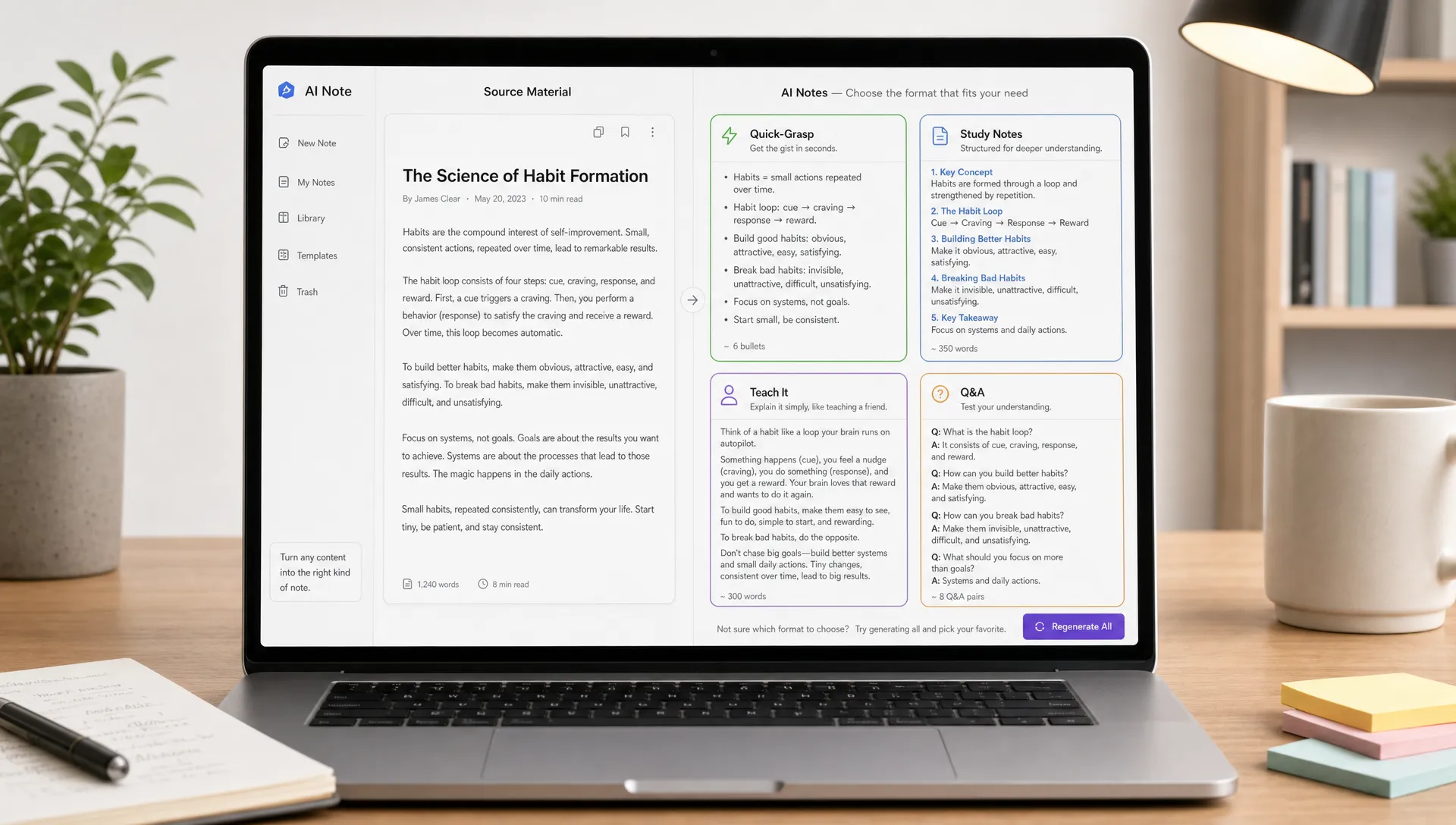
Not every note should look the same. Sometimes you need a quick overview. Sometimes you need a detailed breakdown. Sometimes you need to explain the concept to someone else.
A strong AI note taking app should let you change the lens, format, or depth of the output depending on your goal.
For example, the same research article could become:
- A 5-minute overview for deciding whether to read the full paper
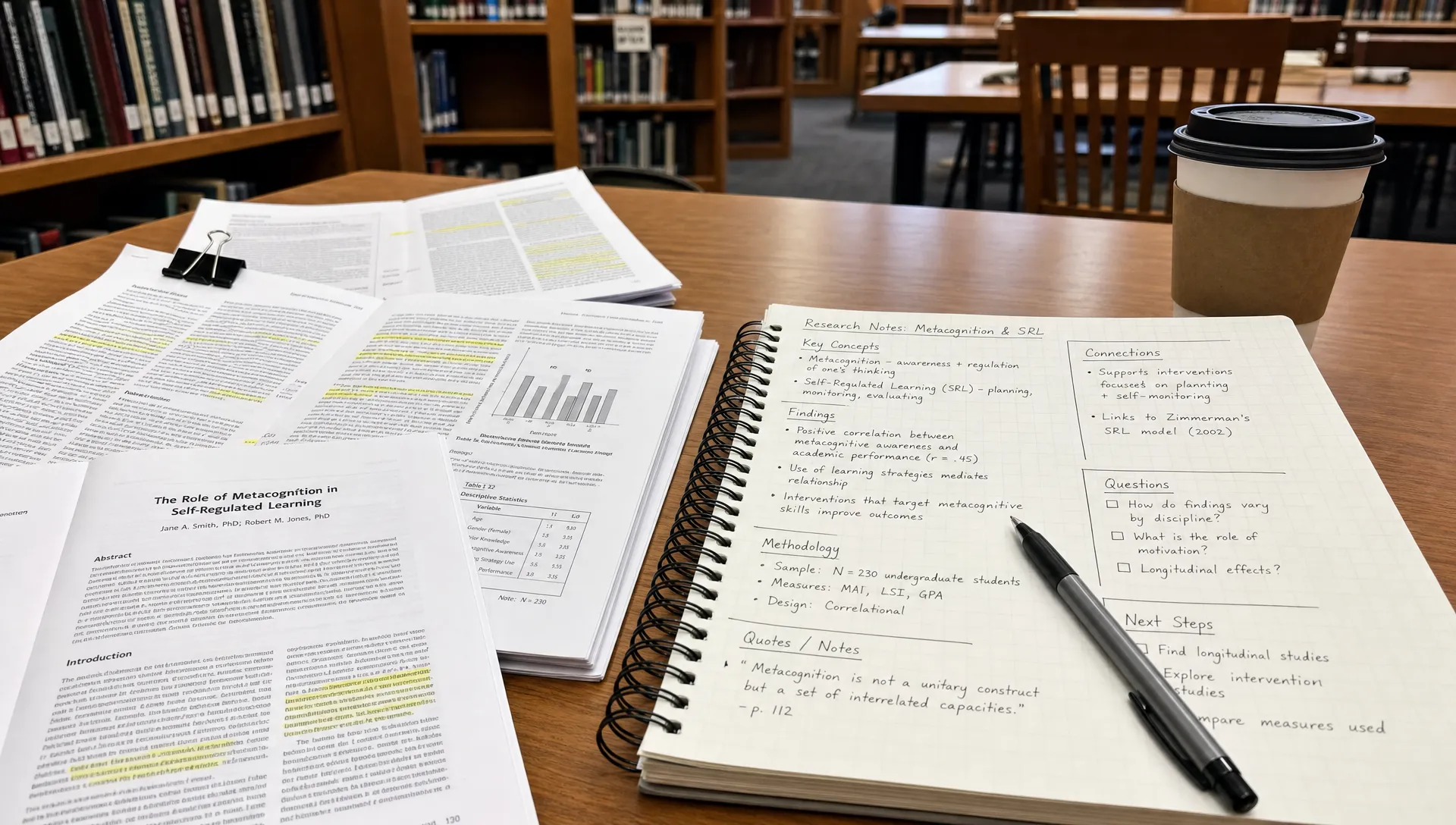
- A structured research note with method, findings, limitations, and citations to verify
- A teaching explanation for a beginner
- A set of exam review questions
- A comparison against another paper or framework
- A content outline for a newsletter, lesson, or presentation
This is where “thinking modes” or context-aware reframing can be valuable. unrav.io, for example, includes multiple thinking modes such as quick grasp and teach-it mode, which are designed for different levels of comprehension rather than one generic summary.
The best app is not the one that always gives the shortest answer. It is the one that gives the right kind of answer for the task in front of you.
Prioritize source traceability and context
AI-generated notes can be helpful, but they should not make it harder to verify the original material. This is especially important for researchers, students, analysts, journalists, and anyone using notes to make decisions.
Look for signs that the app keeps you connected to the source. Can you see where an idea came from? Can you return to the relevant section of the article, PDF, or video? Does the app separate what the source says from what the AI infers?
This is not just about avoiding errors. It is about preserving trust. If an app gives you a confident claim but you cannot trace it back, you may end up with notes that are fast but fragile.
For academic or professional work, treat AI notes as a reading aid, not as a final authority. Use them to navigate the material faster, then verify important claims in the original source.
Make sure the app supports active learning
Good notes are not just records. They should help you remember, retrieve, and use information later.
Research on learning consistently shows that passive review is weaker than active engagement. A well-known review by Dunlosky and colleagues in Psychological Science in the Public Interest found that techniques like practice testing and distributed practice tend to be more effective than simply rereading or highlighting. You do not need to become a cognitive scientist to apply this. You just need notes that make you think.
Look for features or workflows that encourage active learning, such as:
- Turning material into questions
- Explaining concepts in simpler language
- Identifying gaps in your understanding
- Creating study prompts or review cards
- Comparing related ideas
- Generating examples and counterexamples
For students, this can turn readings into exam preparation. For educators, it can help adapt complex material into clearer teaching notes. For professionals, it can turn a report into discussion points or decisions.
If your notes only let you reread a summary, they may save time upfront but offer limited learning value.
Evaluate output quality, not just output speed
Speed is attractive. Nobody wants to wait five minutes for notes from a short article. But speed should not be your only benchmark.
When testing an AI note taking app, compare outputs using a few practical quality checks:
| Quality signal | What good looks like | Warning sign |
|---|---|---|
| Accuracy | Main claims match the source | Confident claims not found in the source |
| Structure | Notes are organized by topic, argument, or task | A long block of generic prose |
| Usefulness | The output helps you decide, study, teach, or write | It only restates obvious points |
| Nuance | Limitations, uncertainty, and context are included | Caveats disappear from the notes |
| Actionability | Next steps, questions, or takeaways are clear | You still do not know what to do with the information |
A good test is to use the same source in multiple apps and ask: “Would I trust these notes tomorrow when I no longer remember the original?”
If the answer is no, the app may be impressive in the moment but weak as a long-term knowledge tool.
Consider how notes fit into your existing workflow
The best AI note taking app is the one you will actually use. That usually means it fits into your current habits with minimal friction.
For some people, a browser-based workflow is essential because most reading happens online. For others, PDF support matters more. Students may want fast study notes from class readings. Content creators may want to turn long inputs into outlines, scripts, or newsletters. Researchers may need structured extraction from papers.
A Chrome extension can be especially helpful if you often read articles, reports, documentation, or online papers. Instead of copying everything into a separate workspace, you can process material where you find it.
Also consider whether the app requires an account before you can test it. No-signup access can be useful when you simply want to try the workflow on a real source before deciding whether it belongs in your system.
Look for flexible exports and reusable outputs
Notes become more valuable when you can reuse them. If your AI note taking app locks insights inside a single interface, it may create another silo.
Think about what you want to do after the note is created. You might want to paste it into a research database, study system, document editor, presentation, content calendar, or team workspace.
Useful output formats may include:
- Structured notes with headings
- Bullet summaries for quick review
- Q&A formats for studying
- Teaching explanations
- Outlines for writing or presenting
- Concept maps or relationship-based notes
Visual structure is especially useful when you are trying to understand relationships between ideas, not just remember facts. If your current notes feel organized but still do not help you see connections, this guide to building better visual notes with a concept mapping generator may help you think beyond linear summaries.
Do not ignore privacy and data handling
AI note taking often involves sensitive material: unpublished research, company reports, client notes, class materials, personal reflections, or paid content. Before using any app seriously, review its privacy policy and data practices.
At minimum, check what happens to the content you upload or paste, whether your data may be used for model training, how long files are retained, and whether you can delete your history. If you work in a regulated field or with confidential material, your requirements will be stricter.
For everyday learning, privacy may not be the first feature you notice. But once an app becomes part of your reading and research routine, trust becomes central.
Match the app to your audience and role
Different users need different strengths from an AI note taking app.
Students should look for tools that simplify difficult readings, generate study questions, and help review material without replacing the work of learning. The goal is not to skip the reading entirely. It is to understand faster and study more deliberately.
Researchers should prioritize source fidelity, structured extraction, and support for PDFs. A useful app should help identify research questions, methods, findings, limitations, and connections to related work.
Knowledge workers should look for speed, clarity, and reusable outputs. Reports, market updates, strategy documents, and long articles need to become decisions, talking points, or next steps.
Content creators should look for transformation features. Long articles, interviews, videos, and podcasts can become outlines, newsletter drafts, episode notes, or social content ideas, as long as the original meaning is preserved.
Educators should look for teaching-oriented outputs. The ability to explain complex ideas at different levels can help with lesson planning, examples, and student-friendly explanations.
The right app depends less on who has the longest feature list and more on whose workflow it understands.
Red flags to watch for
Not every AI note taking app deserves a place in your workflow. Be cautious if you notice any of these problems:
- The app produces generic summaries that could apply to almost any source
- It removes uncertainty, limitations, or disagreement from complex material
- It cannot handle the formats you actually use
- It gives confident answers without an easy path back to the source
- It creates notes that look polished but do not help you remember or act
- It adds too much friction, such as constant copying, formatting, or cleanup
- It encourages passive dependence instead of better thinking
A useful AI note taking app should make you a more active reader, not a less careful one.
A simple 15-minute test before choosing an app
You do not need a long trial period to learn a lot about an app. Use one real source that represents your everyday work, then test it with a few prompts or modes.
- Choose a source you actually care about, such as a PDF, article, YouTube lecture, report, or podcast.
- Ask for a quick overview and check whether the main point is correct.
- Ask for a deeper breakdown, including assumptions, evidence, and limitations.
- Ask the app to explain the material as if teaching a beginner.
- Ask for useful next steps, study questions, or content ideas depending on your goal.
- Compare the output to the original and mark any missing nuance or unsupported claims.
- Decide whether the notes would still be useful a week from now.
This test reveals more than a feature page. It shows whether the app supports your real thinking process.
Frequently Asked Questions
What is an AI note taking app? An AI note taking app uses artificial intelligence to help capture, summarize, organize, or transform information into notes. Some focus on meetings, while others help with articles, PDFs, videos, podcasts, research papers, or study material.
Is an AI note taking app the same as a summarizer? Not always. A summarizer shortens content. A stronger AI note taking app helps structure ideas, explain concepts, create questions, preserve context, and turn information into something you can study, teach, or use.
Can AI notes replace reading the original source? For important material, no. AI notes can help you preview, navigate, and understand content faster, but you should verify key claims, data, and nuance in the original source.
What should students look for in an AI note taking app? Students should look for clear explanations, study questions, support for PDFs and videos, and outputs that encourage active recall. The app should help you learn, not just give you a shortcut around the material.
What should researchers look for in an AI note taking app? Researchers should prioritize PDF support, source traceability, structured extraction, and the ability to identify methods, findings, assumptions, and limitations. Accuracy and context matter more than speed alone.
How do I know if an AI note taking app is good? Test it with a real source. Check whether the notes are accurate, structured, nuanced, and useful later. If the output looks polished but does not improve comprehension or retention, keep looking.
The best AI notes help you think better
An AI note taking app should not just create more notes. It should reduce confusion, preserve context, and help you turn complex material into something you can understand and use.
Look for source support, flexible thinking modes, active learning features, traceability, reusable outputs, and a workflow that fits your habits. Be skeptical of tools that only produce fast summaries. Fast is helpful, but understanding is the real goal.
If your work involves articles, PDFs, videos, podcasts, or pasted text, unrav.io is built around that deeper comprehension workflow. You can use it to quickly grasp material, reframe it through different thinking modes, and turn complex content into clearer notes without needing to sign up first.