
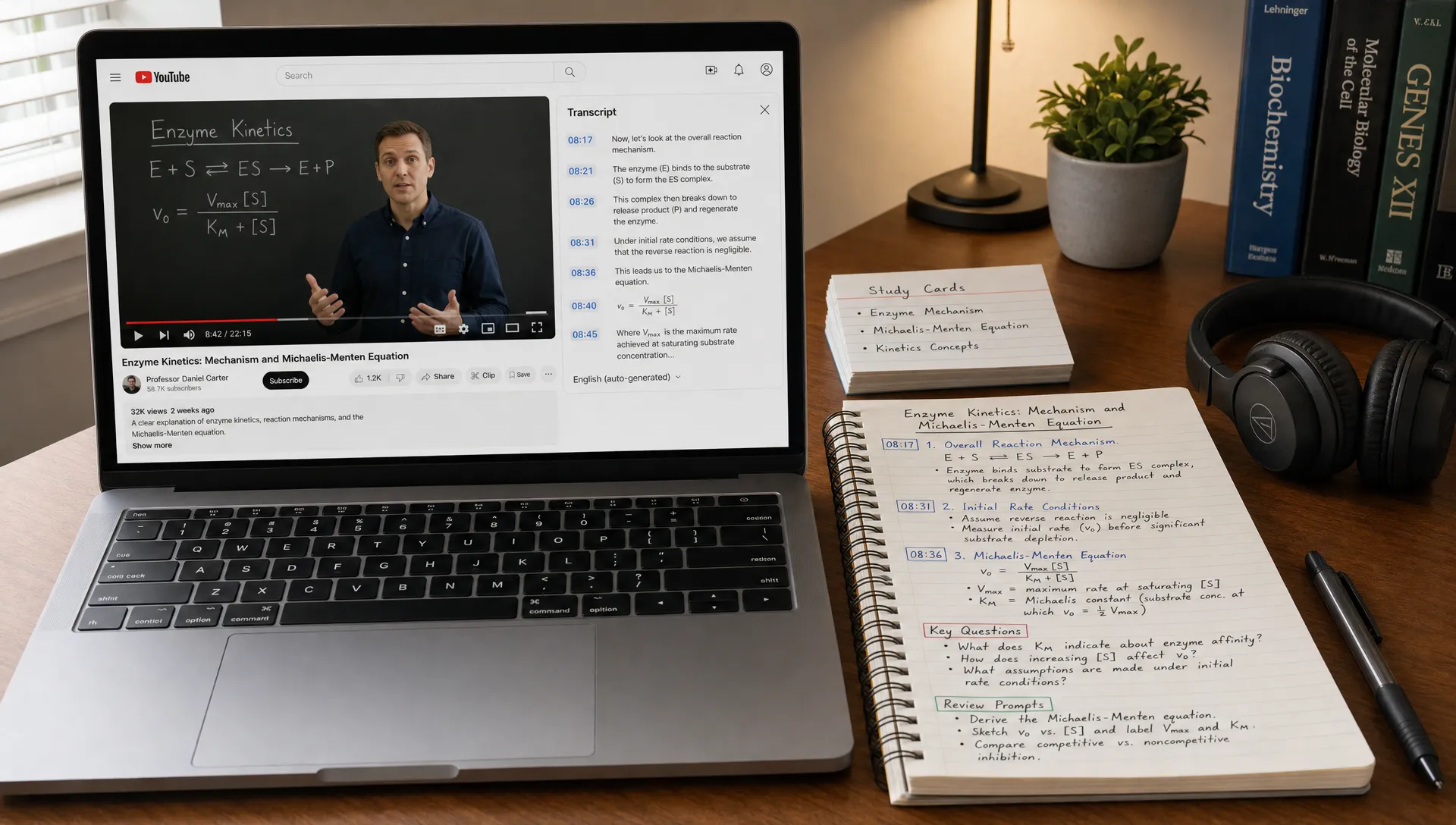
YouTube Video to Notes Workflow for Faster Learning
Watching a useful YouTube lecture, tutorial, interview, or conference talk can feel productive in the moment. The problem shows up later, when you try to remember what mattered. Your notes are either too thin to be useful, too long to review, or scattered across timestamps you never revisit.
A better YouTube video to notes workflow does not mean transcribing every sentence. It means turning a linear video into a compact learning asset: key ideas, examples, timestamps, questions, and review prompts you can come back to.
This guide walks through a practical workflow you can use for classes, research, professional learning, creator research, or personal study. AI tools can speed up the process, but the goal is still understanding, not passive copying.
Why YouTube notes often fail
YouTube is a powerful learning source because it combines explanation, visuals, voice, examples, and pacing. But those same strengths make note-taking harder.
A video moves forward whether or not you have processed the idea. The speaker may introduce a concept, tell a story, jump to an example, then return to the main point five minutes later. If you take notes while watching, you can easily miss the structure. If you wait until the end, you may only remember the highlights.
Transcripts help, but they are not notes. A transcript is usually too long, includes filler words, and follows speech patterns instead of study patterns. A good note turns speech into structure.
That is why the best workflow has three layers:
- Capture the video accurately enough that you do not lose important details.
- Compress the content into concepts, claims, examples, and action steps.
- Review the ideas using questions, summaries, and connections to what you already know.
AI can help with capture and compression, especially for long videos. But you still need to add judgment, context, and your own wording. If you want a deeper explanation of why short summaries are not always enough, see this guide on how summarizing falls short without real understanding.
What useful video notes should include
Before you open a note-taking app, define what counts as a useful output. The format depends on your goal, but strong YouTube notes usually include a few core elements.
At minimum, your notes should answer:
- What is the video mainly about?
- What are the 3 to 7 most important ideas?
- Which examples, stories, formulas, or demonstrations make those ideas clear?
- What should I remember, apply, question, or research further?
- Where are the important timestamps if I need to rewatch a section?
For learning, the most important part is not the summary. It is the bridge between the video and your future use of it. A student needs exam-ready concepts. A researcher needs claims, methods, and citations to verify. A professional needs decisions, risks, and next steps. A creator needs angles, quotes, and reusable ideas.
The YouTube video to notes workflow at a glance
Use this workflow whenever a video is long enough that casual watching will not be enough. It works especially well for lectures, technical explainers, webinars, interviews, podcasts on YouTube, and recorded conference talks.
| Stage | What you do | Output |
|---|---|---|
| Set the goal | Decide why you are watching | A clear note-taking purpose |
| Capture the source | Save title, link, creator, date, and transcript if available | Reliable source context |
| Find the structure | Identify sections and topic shifts | Timestamped outline |
| Extract ideas | Turn speech into concepts, claims, examples, and steps | Clean learning notes |
| Add questions | Create recall prompts and gaps to check | Study-ready review material |
| Connect ideas | Link to prior notes, projects, or readings | Long-term understanding |
| Review later | Revisit questions instead of rereading everything | Better retention |
The key is to avoid treating note-taking as a typing race. You are not trying to capture more words. You are trying to create a better memory and thinking tool.
Step 1: Decide your learning goal before pressing play
The same video can produce very different notes depending on why you are watching it. A 45-minute lecture on machine learning could become exam notes, a research overview, a project checklist, or a simple explanation for teaching someone else.
Before you start, write one sentence at the top of your notes:
I am watching this video so I can...
Then finish it with a specific purpose:
- Understand the main argument for class discussion.
- Extract practical steps I can apply at work.
- Compare this explanation with a paper I already read.
- Turn the video into a newsletter outline.
- Prepare to explain the topic to a beginner.
This small step changes what you pay attention to. If your goal is exam prep, definitions and distinctions matter. If your goal is implementation, examples and process steps matter. If your goal is content creation, framing, stories, and quotable insights matter.
Step 2: Capture the source and transcript
Start with basic source information. It may feel boring, but it prevents confusion later, especially if you collect notes from many videos.
Save the video title, channel or speaker, link, publication date if relevant, and total length. If you are using the notes for academic or professional work, also record whether the video is a lecture, interview, tutorial, product demo, panel, or opinion piece.
Next, look for a transcript. YouTube often provides transcripts when captions are available, though availability depends on the video and platform view. You can also use an AI reading companion that works with YouTube links.
For example, unrav.io can help reframe YouTube videos, PDFs, articles, podcasts, and pasted text depending on your goal. For a video, you might start with a quick grasp mode to identify the main structure, then use a teach-it style explanation to make a difficult section clearer.
The transcript is your raw material, not your final note. Treat it like a searchable source that helps you avoid missing details.
Step 3: Make a timestamped outline first
Do not begin by writing detailed notes. First, map the video.
Watch at normal speed or slightly faster if the material is familiar. Your only job in this pass is to notice structure. Mark timestamps when the speaker changes topic, introduces a new example, answers a question, starts a demonstration, or summarizes a key point.
A simple timestamped outline might look like this:
| Timestamp | Section | Purpose |
|---|---|---|
| 0:00 | Introduction | Problem and promise of the video |
| 3:20 | Core concept | Main definition or framework |
| 11:45 | Example | Walkthrough or case study |
| 22:10 | Common mistakes | What learners usually misunderstand |
| 31:30 | Practical steps | How to apply the idea |
| 39:50 | Summary | Final takeaways |
This outline gives your notes a skeleton. Later, when you add detail, you know where each idea belongs.
If the video is very long, you can generate an initial outline with AI, then quickly verify the timestamps yourself. This is faster than watching blindly, but you should still check any section that matters for accuracy.
Step 4: Turn the transcript into learning notes
Once you have the structure, convert the transcript into usable notes. This is the most important part of the workflow.
Do not simply shorten each paragraph. Instead, translate spoken content into learning categories:
- Concepts: important terms, models, theories, or frameworks.
- Claims: what the speaker argues is true.
- Evidence: examples, data, studies, stories, or demonstrations used to support a claim.
- Steps: processes, instructions, or workflows you can follow.
- Caveats: limits, exceptions, assumptions, or open questions.
- Applications: how the idea could be used in class, work, research, or creative projects.
This is where AI can save time, especially with long transcripts. You can ask for the video to be reframed as study notes, a teaching explanation, a decision brief, or an outline. But review the output. AI may miss nuance, over-compress an argument, or make a vague point sound more certain than it is.
A useful conversion looks like this:
| Raw video content | Better note format |
|---|---|
| Speaker tells a long story | Principle illustrated by the story |
| Speaker repeats a phrase several times | Core concept or theme |
| Speaker shows a demo | Step-by-step process with timestamp |
| Speaker mentions a study or statistic | Claim to verify, with source needed |
| Speaker gives an opinion | Perspective, not established fact |
| Speaker answers a question | Common objection and response |
The result should be shorter than the transcript but richer than a summary.
Step 5: Add questions while the content is still fresh
Notes become more valuable when they ask you to think. After each major section, add one or two questions that force recall or application.
Research on retrieval practice shows that trying to bring information back from memory can strengthen learning more than simply rereading. In practical terms, this means your YouTube notes should include prompts you can answer later without replaying the video.
For example:
- What problem is the speaker trying to solve?
- What is the main concept, in my own words?
- What example best explains the concept?
- What would change if the speaker's assumption were false?
- How could I apply this in my current project or class?
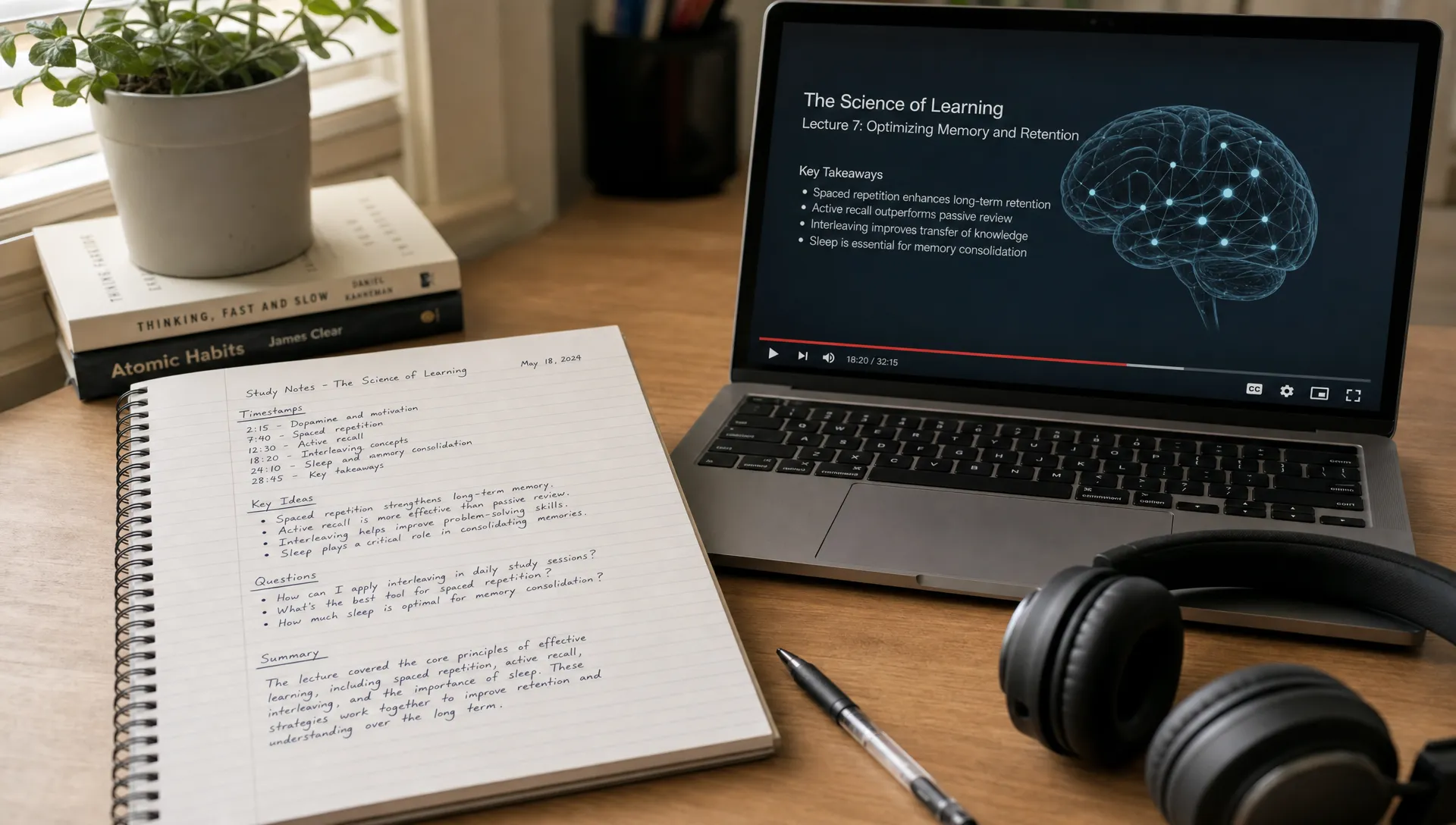
This is also where the Cornell note-taking system is useful. You can keep detailed notes on one side, questions or cues on the other, and a short summary at the bottom. The format works well for video learning because it separates capture from review.
Step 6: Create a review pack, not just a note file
If you only store your notes, you may never use them again. A review pack turns the video into something you can study quickly.
At the end of your notes, add three short sections:
- Five-sentence summary: the main point of the video in plain language.
- Key terms: definitions or distinctions you need to remember.
- Recall questions: prompts you can answer without looking.
For a technical video, you might add a mini checklist. For a lecture, add likely exam questions. For an interview, add memorable quotes and themes. For a tutorial, add common mistakes and troubleshooting steps.
This step is especially useful for students and lifelong learners because it reduces review friction. Instead of rewatching a 50-minute video before a test, you can spend 10 minutes answering your own questions and rewatch only the timestamps you missed.
If you use AI here, ask it to generate questions at different difficulty levels. Then delete weak questions and rewrite the best ones in your own language. The rewriting matters because it forces you to process the idea.
Step 7: Connect the video to your existing knowledge
A single video note is useful. A connected note is more useful.
After you finish, ask: where does this fit?
Connect the video to a class topic, research question, client project, content idea, or previous reading. If the video explains a concept you have seen elsewhere, link the notes together. If it contradicts another source, note the disagreement.
For visual thinkers, turning video notes into a concept map can reveal relationships that a linear outline hides. If your notes feel scattered, this guide on how to connect ideas faster with a brain map can help you decide when a map is more useful than a standard outline.
This connection step is what moves you from collecting information to building understanding.
Example workflows for different learners
The best YouTube video to notes workflow changes slightly depending on your role. Use the same core process, but adjust the final output.
| Audience | Best note output | What to emphasize |
|---|---|---|
| Students | Study guide with recall questions | Definitions, examples, likely exam prompts |
| Researchers | Claim and evidence map | Methods, assumptions, citations to verify |
| Professionals | Brief or action memo | Decisions, risks, next steps, stakeholders |
| Content creators | Repurposing outline | Hooks, stories, quotes, audience angles |
| Educators | Teaching notes | Simple explanations, analogies, discussion questions |
| Technical learners | Implementation checklist | Steps, edge cases, errors, prerequisites |
For example, a student watching a biology lecture might create a timestamped outline, extract definitions, then turn each section into quiz questions. A product manager watching a market analysis video might create a one-page brief with opportunities, risks, and open questions. A creator watching a long interview might extract themes, quotes, and potential newsletter sections.
The same source becomes different notes because the purpose is different.
A reusable YouTube notes template
Copy this template into your note-taking app and adapt it for each video.
Video title:
Creator or speaker:
Link:
Date watched:
Purpose:

## 1. Quick summary
Write 3 to 5 sentences explaining the main point.

## 2. Timestamped outline
0:00 - Section title - Main idea
0:00 - Section title - Main idea
0:00 - Section title - Main idea

## 3. Key ideas
- Idea 1:
- Idea 2:
- Idea 3:

## 4. Examples and evidence
- Example or evidence:
- Why it matters:

## 5. Questions for review
- Question 1:
- Question 2:
- Question 3:

## 6. Applications
How can I use this in class, work, research, or a project?

## 7. Follow-up
What should I verify, rewatch, read, or connect next?
You can use this manually, or you can ask an AI tool to produce the first draft from a transcript or YouTube link. The important part is to edit it into your own learning structure.
Common mistakes to avoid
Turning YouTube videos into notes is simple, but a few habits can make the output much less useful.
| Mistake | Why it hurts learning | Better approach |
|---|---|---|
| Copying the transcript | Too much text to review | Extract concepts, examples, and questions |
| Writing only a summary | Easy to forget details | Add timestamps and recall prompts |
| Trusting AI output without checking | Important nuance may be missed | Verify claims, numbers, and definitions |
| Taking notes with no goal | Notes become unfocused | Define your purpose before watching |
| Never reviewing | Notes become storage, not learning | Schedule a short recall session |
| Saving every video the same way | Different goals need different formats | Match the format to your use case |
The biggest mistake is confusing possession with understanding. Having notes is not the same as being able to explain, apply, or question the material. For more on using AI as a learning support rather than a shortcut, this article on smart strategies to use AI for effective learning offers a helpful mindset.
When you should still watch the full video
A notes workflow helps you learn faster, but it should not always replace watching.
Watch carefully when the video includes visual demonstrations, mathematical derivations, software walkthroughs, lab techniques, design critiques, or subtle arguments. In these cases, the value is not only in the words. It is also in timing, sequence, tone, visuals, and judgment.
AI-generated notes are best for orientation, review, and structure. They are less reliable as a substitute for expert evaluation. If the material affects a grade, publication, client decision, health decision, legal issue, or technical implementation, verify important claims against primary sources.
A good rule is simple: use notes to decide where to focus, then watch or rewatch the sections that matter most.
Frequently Asked Questions
How do I turn a YouTube video to notes quickly? Start by capturing the transcript or using a tool that can process a YouTube link. Generate a timestamped outline, extract the main ideas, then add review questions. Do not stop at a plain summary if your goal is learning.
Can AI replace watching the video? Sometimes AI notes are enough for a quick overview, but they should not replace watching when the video contains demonstrations, visuals, nuanced arguments, or information you need to verify. Use AI to focus your attention, not to remove your judgment.
What is the best format for YouTube notes? For learning, the best format usually combines a short summary, timestamped outline, key ideas, examples, and recall questions. For work, a decision brief may be better. For creators, an outline with themes and quotes may be more useful.
What should I do if a YouTube video has no transcript? You can take manual timestamped notes while watching, use captions if available, or work with a tool that supports video understanding. If accuracy matters, review the important sections yourself.
How long should notes from a YouTube video be? As short as possible while still being useful. A 60-minute lecture might become one to three pages of structured notes, plus questions. A short tutorial might only need a checklist and a few timestamps.
How can I remember more from educational YouTube videos? Add recall questions, explain the main idea in your own words, revisit the notes after a delay, and connect the video to something you already know. Rewatch only the sections you cannot explain.
Turn your next video into notes you can actually use
The next time you find a valuable YouTube video, do not rely on memory or a messy transcript. Start with a clear goal, create a timestamped outline, extract the ideas that matter, and turn them into questions you can review.
If you want help moving from video to understanding faster, unrav.io can work with YouTube, PDFs, podcasts, links, and pasted text, then reframe the content through different thinking modes. Use it for a quick grasp, a clearer explanation, or a first draft of structured notes, then add your own judgment and context.
Learning faster is not about skipping the work. It is about doing the right work with less friction.