
How to Pick a Concept Map Creator for Study and Research
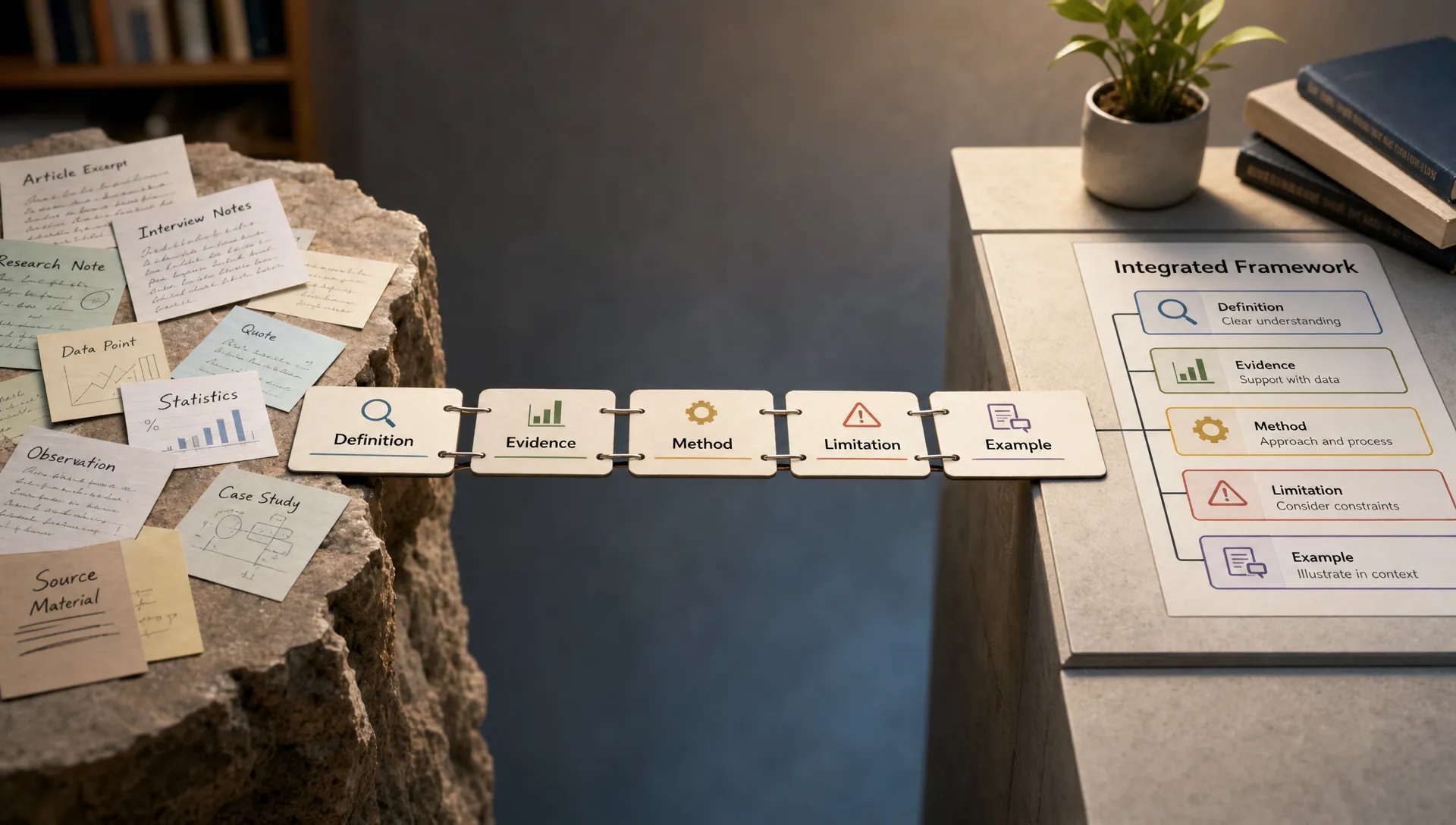
If you have ever tried to study from scattered notes, compare several research papers, or explain a dense topic to someone else, you already know the problem: information is not hard only because there is a lot of it. It is hard because the relationships are hidden.
A good concept map creator helps you make those relationships visible. Instead of keeping ideas in a long list, you can show how theories, causes, evidence, methods, arguments, and examples connect. That is especially useful for students preparing for exams, researchers organizing literature, and knowledge workers trying to understand complex reports.
But not every mapping tool is right for serious study or research. Some are great for brainstorming but weak for evidence tracking. Some look polished but make it hard to label relationships. Some use AI to generate maps quickly, but give you too little control over what the map actually means.
This guide will help you choose a concept map creator based on how you learn, what kind of material you handle, and how much accuracy your work requires.
What a Concept Map Creator Should Actually Help You Do
A concept map is not just a prettier version of notes. It is a structured visual representation of ideas and their relationships.
In classic concept mapping, ideas are usually shown as nodes, while the connections between them are labeled with linking phrases. For example, a map about climate change might connect “greenhouse gases” to “global temperature rise” with the phrase “increase heat retention.” That relationship label matters because it forces you to clarify what the connection actually means.
Joseph Novak and Alberto Cañas, who helped formalize concept mapping, describe concept maps as tools for representing knowledge through concepts and propositions. Their explanation at the Institute for Human and Machine Cognition is still one of the clearest references for understanding why concept maps support meaningful learning.
A strong concept map creator should help you:
- Identify the key concepts in a topic
- Show relationships between those concepts
- Label connections clearly
- Rearrange ideas as your understanding improves
- Connect details back to a bigger structure
- Review or explain the topic later
For study and research, the goal is not to make a beautiful diagram. The goal is to build a map that improves understanding.
Concept Map vs Mind Map: Choose the Right Structure First
Before choosing a tool, make sure you actually need a concept map.
A mind map usually starts from one central idea and branches outward. It is useful for brainstorming, planning, and collecting related ideas quickly. A concept map is more precise. It focuses on relationships between concepts, not just categories around a central topic.
For example, if you are planning an essay on artificial intelligence in education, a mind map can help you brainstorm sections such as benefits, risks, examples, and policy questions. A concept map can help you explain how adaptive learning systems affect feedback loops, student motivation, teacher workload, assessment design, and equity.
Use a concept map when relationships matter. Use a mind map when exploration and idea generation matter more.
If you are still deciding between the two formats, unrav.io has a useful guide on when to use a mind map maker for reading and research, which can help you choose the right visual structure before committing to a tool.
Start With Your Use Case
The best concept map creator depends on the work you need it to do. A student revising for a biology exam does not need the same features as a researcher comparing 40 papers or an analyst summarizing a policy report.
| Use case | What you need from the map | Features to prioritize |
|---|---|---|
| Exam study | Clear structure for remembering and explaining topics | Simple editing, relationship labels, export options, easy review |
| Research papers | Connections between theory, methods, findings, and limitations | Source tracking, flexible layouts, notes, citations or references |
| Literature reviews | Comparison across authors, themes, disagreements, and gaps | Multi-document organization, tagging, cross-links, scalable maps |
| Teaching | A simplified explanation of a complex topic | Clean presentation, progressive detail, easy sharing |
| Professional research | Fast understanding of reports, briefs, and complex documents | Import options, summaries, collaboration, export to slides or documents |
| Content creation | Turning long material into outlines, scripts, or explainers | Structure extraction, flexible reuse, clear hierarchy |
Once you know your use case, it becomes much easier to ignore features that look impressive but do not help your actual workflow.
1. Check Whether It Handles the Material You Actually Study
Many concept map tools work well if you already know what you want to map. They give you a blank canvas, shapes, lines, colors, and layout controls. That is useful, but it may not be enough if your starting point is a 40-page PDF, a recorded lecture, a research article, a podcast interview, or a long industry report.
For study and research, your concept map creator should fit your source material. Ask yourself:
- Can I easily bring in notes from readings, lectures, PDFs, or web pages?
- Can I paste text or import content without too much cleanup?
- Does the tool help me extract key ideas, or do I have to do everything manually?
- Can I keep the map connected to the original source?
This is where AI-assisted reading tools can help before the mapping stage. For example, unrav.io can help you understand content from links, pasted text, YouTube videos, PDFs, and podcasts, then reframe that content depending on your goal. You might use a quick grasp mode to identify the main structure first, then create your concept map from the clearer version.
The important point is simple: do not choose a map maker only by looking at the canvas. Choose it by looking at the full path from source material to understanding.
2. Look for Clear Relationship Labeling
A concept map without relationship labels often turns into a loose diagram. It may look organized, but it does not always show understanding.
For example, these two connections are very different:
- “Sleep deprivation” leads to “reduced attention”
- “Sleep deprivation” is measured by “hours slept”
- “Sleep deprivation” is moderated by “caffeine intake”
If the tool only lets you draw lines without labeling them, your map may lose important meaning. For serious study and research, look for a creator that lets you add short phrases to connections.
Good linking phrases include words such as:
- causes
- depends on
- is measured by
- supports
- contradicts
- is an example of
- is limited by
- increases
- reduces
- explains
This matters most when you are working with complex topics. In a literature review, for instance, you may need to show that one study supports a theory, another challenges it, and a third uses a different method that explains the disagreement.
3. Make Sure AI Output Is Editable
AI can make concept mapping faster, especially when you are starting from dense text. It can identify candidate concepts, summarize sections, suggest relationships, and help you see structure more quickly.
But AI-generated maps should not be treated as final truth. They are starting points. You still need to check whether the tool captured the right concepts, missed a limitation, oversimplified a relationship, or invented a connection that is not supported by the source.
A useful AI concept map creator should let you edit everything:
- Rename concepts
- Delete weak or irrelevant nodes
- Add missing concepts
- Change relationship labels
- Merge duplicates
- Split broad ideas into more precise ones
- Reorganize the layout manually
If a tool generates a map that looks impressive but is hard to revise, it may slow you down later. Study and research both require active correction. The act of editing the map is often where the learning happens.
For dense readings, you may also want to separate the comprehension step from the visual mapping step. A guide like Concept Map Maker Tips for Complex Topics and Dense Reading can help you turn difficult material into clearer nodes and relationships before you polish the final map.
4. Prioritize Source Traceability for Research
If you are making a concept map for personal exam study, you may not need formal citations inside the map. But if you are using it for academic research, literature review, policy analysis, or professional reporting, source traceability matters.
A research-friendly concept map creator should make it easy to record where ideas came from. This does not always require a full citation manager inside the mapping tool, although that can help. At minimum, you should be able to attach notes, links, references, page numbers, or document names to important nodes.
This is especially important for claims such as:
- A specific study found a particular result
- An author defines a concept in a certain way
- A method has a known limitation
- Two papers disagree on an interpretation
- A framework comes from a specific field or tradition
Without source traceability, your map may be useful for thinking but risky for writing. You might remember the relationship but forget where the evidence came from.
For researchers, a good workflow is to map the concept visually while keeping citation details in your reference manager, notes app, or document system. The map does not need to replace your research stack. It should make the structure of your research easier to see.
5. Choose the Right Level of Structure
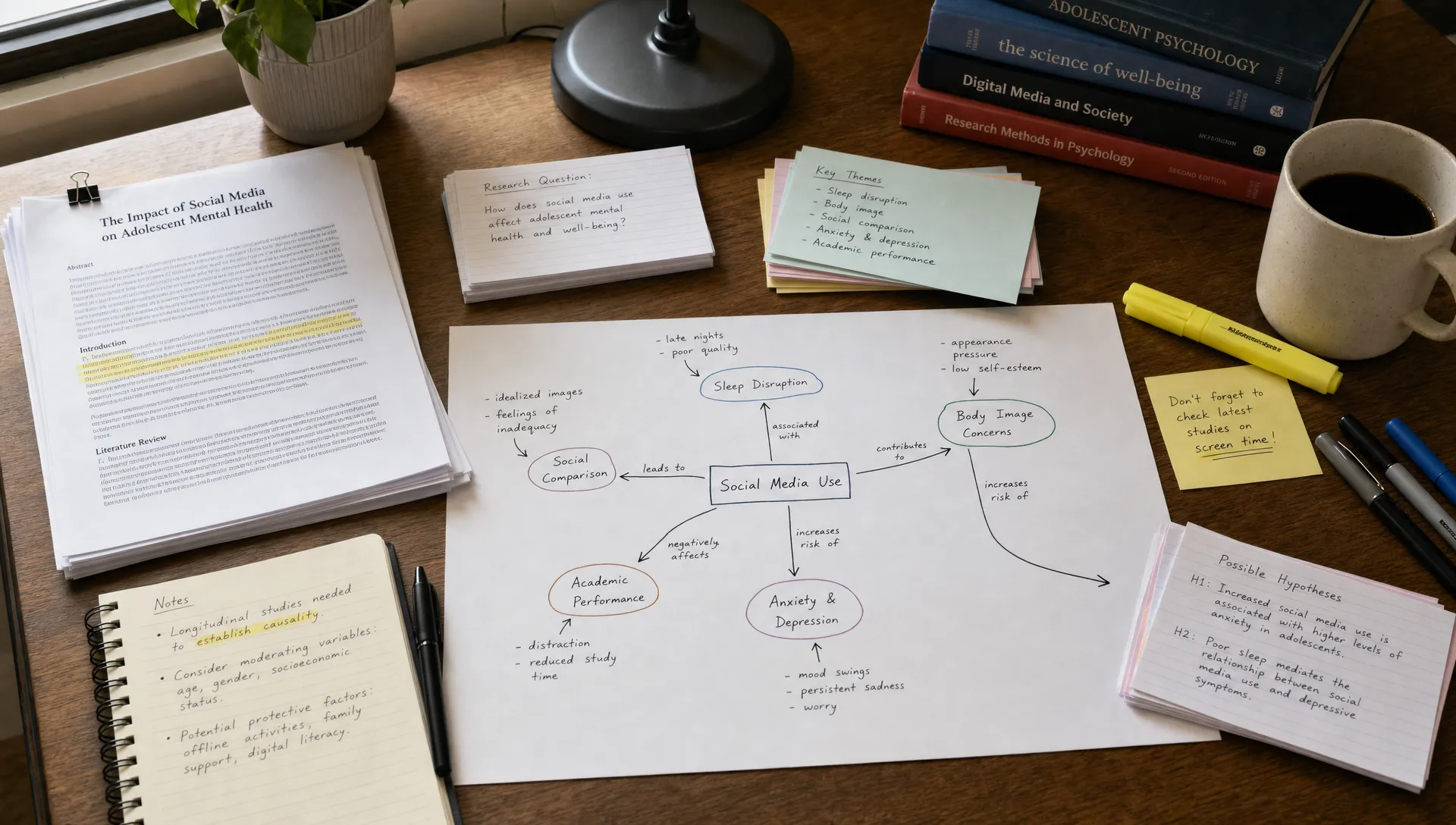
Some concept map creators are highly flexible. They let you place anything anywhere, connect nodes freely, and design your own structure. Others are more guided, using templates, fixed layouts, or AI-generated hierarchies.
Neither approach is automatically better. The right choice depends on how much structure you need.
A blank canvas is useful when you are exploring an unfamiliar topic and want full control. A guided template is useful when you are preparing for an exam, teaching a topic, or comparing papers in a consistent way.
For example, a student studying cell biology might benefit from a predictable structure:
- Key process
- Inputs
- Outputs
- Enzymes or mechanisms
- Conditions
- Exceptions
- Related exam questions
A researcher reviewing papers on remote work productivity might need a more flexible structure because the relationships are not strictly hierarchical. They may need to connect study design, sample size, productivity measure, collaboration pattern, and organizational context across multiple papers.
If possible, choose a tool that supports both structured templates and freeform editing. You will want different map styles at different stages of learning.
6. Test Whether the Tool Supports Progressive Detail
One common mistake in concept mapping is trying to put everything into one diagram. The result becomes too crowded to study, explain, or use.
A good concept map creator should help you work at different levels of detail. You might start with a high-level overview, then zoom into one section for deeper analysis.
For example, a map about “machine learning evaluation” might have top-level nodes for training data, test data, metrics, bias, overfitting, and deployment context. A more detailed sub-map might focus only on metrics, showing precision, recall, F1 score, ROC-AUC, class imbalance, and use case tradeoffs.
Look for features that help you manage complexity:
- Collapsible sections
- Multiple linked maps
- Layers or sections
- Tags or colors for categories
- Search within maps
- Easy duplication of maps for alternative versions
This matters because real understanding usually develops in stages. First you need the big picture. Then you need the relationships. Then you need exceptions, debates, and evidence.
7. Consider Exporting, Sharing, and Reuse
A concept map is more useful when it can leave the tool.
Students may want to export a map as an image for revision notes. Educators may want to use it in slides. Researchers may want to include a simplified version in a paper outline, dissertation plan, or lab meeting presentation. Professionals may want to share it with a team.
Before choosing a concept map creator, check whether it supports the formats you need:
- PNG or JPG for images
- PDF for sharing or printing
- Markdown or text outline for writing
- Presentation-friendly exports
- Shareable links
- Collaboration permissions
If you create content from your research, reuse becomes even more important. A map can become the structure for a newsletter, explainer video, course module, article outline, or podcast script.
This is also where tools like unrav.io can support the broader workflow. You can use it to turn a complex article, PDF, video, or podcast into clearer outputs, then use those outputs as the basis for a map, study guide, or content outline.
8. Evaluate Friction, Not Just Features
A concept map creator can have excellent features and still fail if it is annoying to use.
Friction matters because mapping is an active thinking process. If every small edit requires too many clicks, you will avoid updating the map. If the layout constantly breaks, you will focus on formatting instead of learning. If importing sources is painful, you will stop using the tool after the first week.
When testing a tool, create a small real map from material you are currently studying or researching. Do not judge it from a demo template. Use a real article, lecture, paper, or report.
Try these quick tests:
- Create 10 to 15 concept nodes from a real source.
- Add relationship labels between the most important nodes.
- Rearrange the structure after noticing a better pattern.
- Add one source note or citation reference.
- Export or share the map in the format you would actually use.
If the tool feels slow during this small test, it will likely feel worse on a larger project.
A Simple Decision Checklist
Use this checklist when comparing concept map creators. You do not need every feature, but you should know which tradeoffs you are accepting.
| Question | Why it matters |
|---|---|
| Can it handle my source material? | Your workflow starts with articles, PDFs, lectures, videos, or notes, not an empty canvas. |
| Can I label relationships? | Relationship labels are what make concept maps more precise than simple diagrams. |
| Is AI output editable? | AI suggestions are useful only if you can correct and refine them. |
| Can I track sources? | Research maps need evidence, citations, or links back to original material. |
| Does it support different levels of detail? | Complex topics need overview maps and deeper sub-maps. |
| Can I export or share easily? | Maps are more useful when you can study, teach, present, or reuse them. |
| Is it fast enough to use regularly? | Low-friction tools are more likely to become part of your learning routine. |
If you are mainly looking for free options, you may also find this overview of the best free online concept map maker for clearer thinking useful while comparing tools.
Example Workflows for Study and Research
The right concept map creator should fit into a workflow, not become a separate chore. Here are a few practical examples.
For students
Start by reading or watching the assigned material once for general meaning. Then identify the 10 to 20 concepts most likely to matter for an exam. Build a map that shows how those concepts relate, using linking phrases instead of plain lines. Before the exam, test yourself by hiding parts of the map and explaining the relationships aloud.
This works especially well for subjects like biology, psychology, economics, law, history, and computer science, where understanding relationships is more important than memorizing isolated facts.
For researchers
Create a map for each major theme in your literature review. Add papers as source notes or supporting evidence rather than making every paper the center of the map. Use relationship labels to distinguish “supports,” “contradicts,” “extends,” “uses different method,” and “identifies limitation.”
Over time, your concept map can help you see gaps, disagreements, and clusters in the literature. It can also make it easier to outline your introduction, theory section, or discussion.
For educators
Use a concept map to decide what students need to understand before class. Start with the final learning goal, then map prerequisite ideas, common misconceptions, examples, and assessment questions. This can help you simplify without oversimplifying.
A teaching map does not need to include every detail. It should reveal the path from beginner understanding to the target concept.
For professionals and creators
When working with a long report, webinar, podcast, or white paper, use a concept map to separate core claims from evidence, assumptions, examples, and implications. This makes it easier to turn dense material into a briefing, article, presentation, or content plan.
For creators, concept maps are especially useful before writing. They help you avoid linear summaries and instead build content around the relationships your audience needs to understand.
Common Mistakes When Choosing a Concept Map Creator
The biggest mistake is choosing the tool with the most attractive interface instead of the one that improves your thinking. Visual polish helps, but it should not replace clarity.
Another common mistake is choosing a tool that is too rigid. If your research changes, your map needs to change with it. A map that cannot adapt will become outdated quickly.
A third mistake is relying too heavily on automatic generation. AI can save time, but you should still review the map carefully. If you are studying for an exam, the review process helps you learn. If you are doing research, review protects you from inaccurate or unsupported connections.
Finally, avoid making maps too large. If a concept map becomes unreadable, split it into smaller maps. One overview map plus several focused maps is usually better than one giant diagram.
Frequently Asked Questions
What is the best concept map creator for students? The best option is usually one that is simple, fast, and easy to review. Students should prioritize relationship labels, clean exports, and low-friction editing over advanced design features.
Should I use an AI concept map creator? AI can help you start faster by identifying key concepts and possible relationships, especially from dense readings. However, you should still edit the map yourself because checking and refining relationships is part of learning.
Is a concept map better than a mind map for research? A concept map is usually better when you need to show precise relationships between theories, methods, findings, or evidence. A mind map is better for brainstorming and early exploration.
What features matter most for literature reviews? Look for source tracking, flexible cross-links, relationship labels, notes, and the ability to manage multiple levels of detail. Literature reviews often involve disagreements and gaps, not just topic categories.
Can I create a concept map from a PDF or video? Yes, but the workflow depends on the tool. Some tools import source material directly, while others require you to extract notes first. You can use unrav.io to understand PDFs, videos, podcasts, links, or pasted text before turning the key ideas into a concept map.
Take the Next Step
A good concept map creator should help you think more clearly, not just draw faster. For study and research, prioritize relationship labels, source traceability, editability, and a workflow that fits the material you actually use.
If your main challenge is getting from dense content to clear structure, try using unrav.io before you map. It can help you grasp articles, PDFs, YouTube videos, podcasts, and pasted text through different thinking modes, so you can build your concept map from clearer ideas instead of scattered notes.