How to Choose the Best App for Reading Academic Papers
If you read academic papers often, the problem is rarely access to information. The problem is turning dense PDFs, unfamiliar methods, long literature reviews and technical vocabulary into something you can understand and use.
That is why the best app for reading academic papers is not always the app with the most features. It is the app that fits your reading workflow: finding the point of a paper, checking whether it is credible, understanding the methods, saving useful notes and returning to the idea later.
For some readers, that means a reference manager with strong annotation tools. For others, it means an AI reading companion that can explain a paper in plain language, reframe it for teaching or help compare it with other sources. Many serious readers end up using a small stack rather than one perfect tool.
This guide will help you choose the right app based on how you actually read, study and work with academic papers.
Start with the job you need the app to do
Before comparing apps, define the main bottleneck in your current reading process. A PhD student reviewing 80 papers for a dissertation has different needs from a product manager trying to understand one technical paper before a meeting.
Most academic reading problems fall into a few categories:
- You need to decide quickly whether a paper is worth reading.
- You understand the abstract but get lost in the methods or results.
- You highlight too much and cannot turn highlights into useful notes.
- You need to compare several papers on the same topic.
- You want to explain the paper to classmates, colleagues or an audience.
- You need to cite the paper correctly in your own writing.
A good app should reduce friction at the stage where you struggle most. If your main issue is citation formatting, an AI summary tool will not solve it. If your main issue is understanding dense arguments, a basic PDF reader will not be enough.
Know the main types of academic paper apps
There are several categories of tools, and each one is built around a different assumption about what reading means.
A PDF reader assumes you need a clean way to open, highlight and annotate documents. A reference manager assumes you need to collect sources, organize bibliographic data and cite them later. An AI reading companion assumes you need help making sense of the content, not just storing it. A discovery tool assumes you need to find relevant papers in the first place.
Here is a simple way to compare the main options.
| App type | Best for | Strength | Limitation |
|---|---|---|---|
| PDF reader and annotator | Careful line by line reading | Highlighting, comments and offline reading | Usually weak at synthesis across papers |
| Reference manager | Building a research library | Citations, metadata and source organization | May not help much with comprehension |
| AI reading companion | Understanding and reframing dense material | Summaries, explanations, Q&A and study outputs | Requires verification against the source |
| Literature discovery tool | Finding related papers | Search, recommendations and citation trails | Not designed for deep reading alone |
| Note taking app | Turning reading into reusable notes | Personal knowledge management | Often depends on manual structure |
This matters because many people search for one best app, then get frustrated because they are comparing tools that solve different problems. The better question is: what role should the app play in your reading workflow?
Evaluate PDF handling first
Academic papers still live largely as PDFs. If an app cannot handle PDFs well, it will not be reliable for serious reading.
Look for smooth uploading, readable page rendering, stable scrolling, accurate text selection and support for multi-column layouts. Many papers use tables, figures, equations, footnotes and reference lists. A weak PDF parser can scramble the order of text, which makes summaries and search results less useful.
If you work with scanned papers or older books, check whether the app supports optical character recognition. OCR quality can make the difference between a searchable document and a static image.
For AI tools, PDF handling is even more important. If the app misunderstands the structure of the paper, it may produce a confident but distorted explanation. Test it with a real paper from your field, not a simple sample document.
A useful test is to upload a paper with a complex layout and ask the app to identify the research question, method, main findings and limitations. Then compare the answer with the abstract, discussion and conclusion. If the output sounds generic or ignores the methods section, the app may not be reliable for academic work.
For a more detailed workflow on extracting useful ideas from PDFs, unrav.io has a guide on how to read PDF with AI and pull out the ideas that matter.
Check whether AI summaries are grounded in the paper
AI can make academic reading faster, but only when the output stays close to the source. A polished summary is not enough. You need to know whether the app can show where its claims come from and whether it preserves uncertainty, scope and limitations.
When comparing AI reading apps, test for source grounding. Ask questions like:
- What claim does the paper actually make?
- Which section supports that claim?
- What method did the authors use?
- What are the limits of the study?
- Does the paper show causation, correlation or a theoretical argument?
A strong app should help you inspect the paper, not replace your judgment. It should make it easier to move from broad understanding to careful verification.
This is especially important in fields where small methodological differences matter. In medicine, psychology, economics, machine learning or climate research, a summary that ignores sample size, model assumptions or measurement limits can mislead the reader.
AI is best used as a reading companion: it can help you orient yourself, translate jargon, generate questions and compare sections. You still need to check quotations, data, formulas and claims before using them in academic or professional work.
Look for multiple reading modes, not one generic summary
Different reading goals require different outputs. When you first open a paper, you may need a quick overview. Later, you may need a deeper explanation of the methods. Before an exam or presentation, you may need a teachable version.
That is why multiple reading modes are useful. A single short summary often flattens the paper into a few vague points. A better app lets you reframe the same paper based on what you need from it.
For example, you might use different modes for different tasks:
- A quick grasp mode to decide whether the paper is relevant.
- A deep dive mode to understand the argument, evidence and limitations.
- A teach-it mode to turn the paper into a clearer explanation.
- A comparison mode to see how one paper differs from another.
- A question mode to interrogate unclear sections.
This is where a tool like unrav.io fits naturally. It is designed less as a storage system and more as an AI-powered reading companion for reframing articles, PDFs, videos, podcasts and pasted text. If your goal is to understand a paper from different angles, choosing between a quick overview and a deeper read can save time without skipping the thinking. The difference is explained in more detail in this guide to choosing the right quick grasp or deep dive reading mode.
Make sure the app supports your note workflow
Reading academic papers is not only about understanding them once. You need to preserve the parts that will matter later.
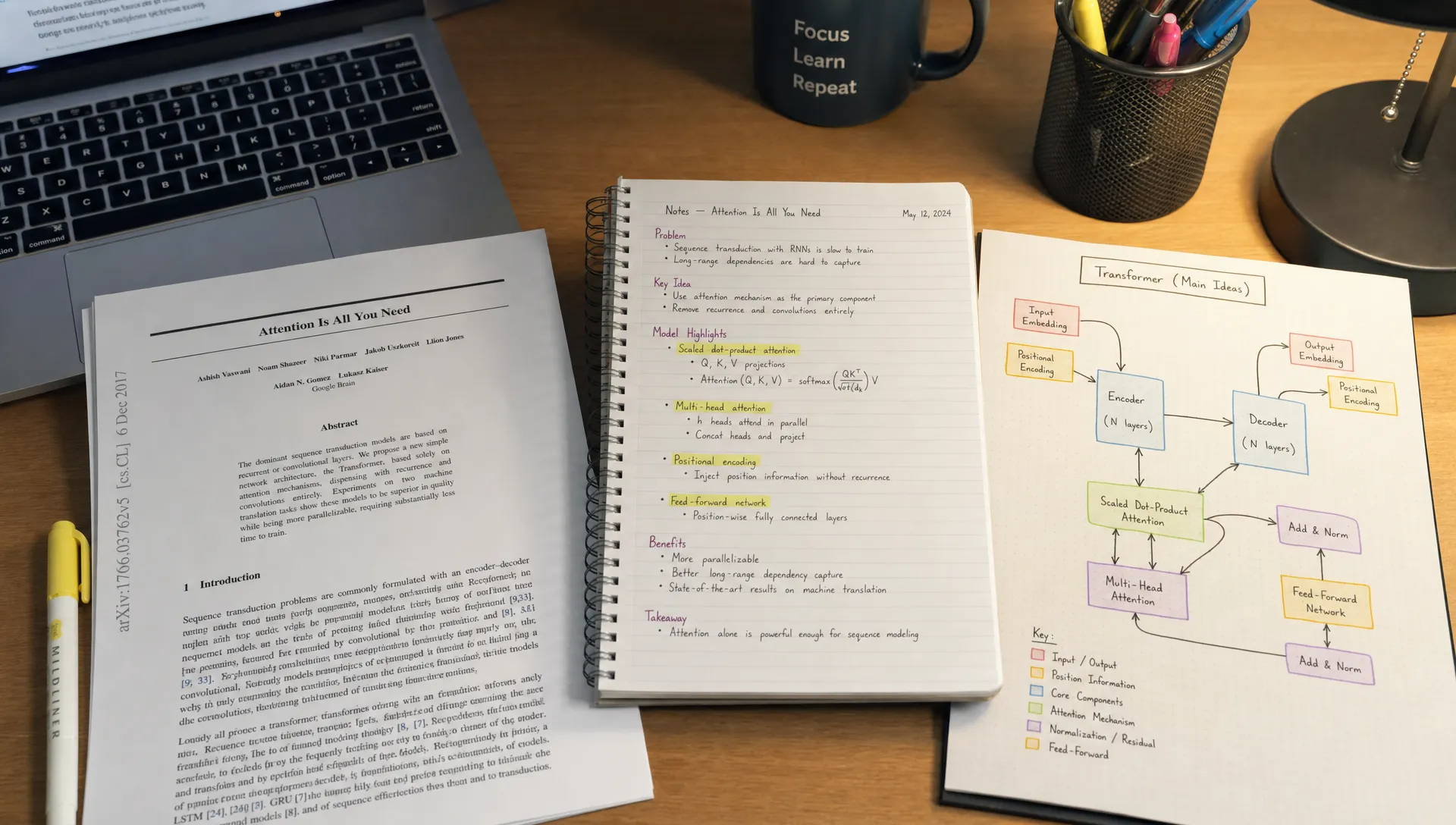
A weak note workflow creates a familiar problem: you highlight 30 sentences, close the PDF and never return to the highlights. A stronger workflow turns reading into structured knowledge.
Look for an app that helps you capture:
- The central research question.
- The authors' main claim.
- The method or evidence used.
- Key findings and caveats.
- Definitions of important terms.
- Useful quotes with page or section context.
- Your own reaction, question or connection to another source.
The most useful notes separate what the paper says from what you think about it. That distinction matters when you later write a literature review, prepare for a seminar or create content based on research.
If you use a dedicated note taking app, check whether the academic reading app can export clean text or markdown. If it locks your notes into its own interface, it may slow you down later.
Students may want notes that become study guides or flashcards. Researchers may want notes that connect to a citation manager. Content creators may want notes that turn into article outlines, scripts or newsletters. The right app should support the next step after reading.
Do not ignore citation and reference management
If you write essays, theses, systematic reviews or research reports, citation management matters. Reading and citing are connected tasks.
Reference managers such as Zotero and Mendeley are built for collecting sources, organizing libraries and generating citations. They are especially useful when you need to manage many papers over months or years.
AI reading companions usually do not replace reference managers. Instead, they can sit alongside them. You might use a reference manager to store your library and an AI reading app to understand individual papers faster.
This combination works well because the two tools solve different problems. The reference manager answers, where is this source and how do I cite it? The reading companion answers, what does this source actually mean and how does it connect to what I already know?
If an app claims to handle citations, test it carefully. Check whether it preserves metadata correctly, supports your required citation style and keeps enough context for you to verify references before submission.
Test the app with a real paper from your field
Marketing pages often use clean examples. Your reading life is probably messier. You may deal with dense theory, statistical tables, legal citations, long appendices or discipline-specific language.
Before committing to an app, test it with a paper you already know. Choose something representative of your actual workload. If you are a student, use an assigned reading. If you are a researcher, use a paper from your area. If you are a professional, use a technical report or white paper similar to what you read at work.
A practical test can be simple:
- Upload or open the paper in the app.
- Ask for the main claim, method, findings and limitations.
- Ask one specific question about a difficult section.
- Create a note you would actually reuse later.
- Check whether you can export or save that note in your preferred system.
- Compare the output against the paper before trusting it.
This test reveals more than a feature checklist. It shows whether the app fits your pace, vocabulary, reading habits and tolerance for correction.
If you often need structured summaries of papers, you may also find it useful to follow a repeatable template. This scientific paper summary guide shows how to capture the essential parts of a paper without turning the summary into a full rewrite.
Match the app to your audience and use case
The best choice depends heavily on who you are and what you need to produce after reading.
For students
Students usually need speed, clarity and recall. The best app should help you identify what the paper is about, what your instructor is likely to care about and how the paper connects to the course.
Look for plain-language explanations, study-friendly summaries and the ability to turn a dense article into key points or questions. If you are preparing for exams, an app that helps you move from reading to active recall is more valuable than one that only stores PDFs.
You still need to read assigned sections carefully, especially when your grade depends on close interpretation. Use AI to prepare, review and clarify, not to skip the material entirely.
For researchers and academics
Researchers need precision. A good academic reading app should preserve nuance, separate claims from evidence and make it easy to inspect the source.
Prioritize source grounding, method extraction, comparison across papers and clean note export. If you are writing a literature review, pay attention to how well the app captures limitations and disagreement between studies. A tool that makes every paper sound equally strong is not useful for research.
You may still need a reference manager as your main library. The reading app should help you understand and synthesize, not become a messy second library.
For professionals and analysts
Professionals often read academic papers to make better decisions. You may not need every methodological detail, but you do need to know whether a claim is strong enough to influence strategy, policy or product work.
Choose an app that helps you extract the practical implication without erasing uncertainty. Good outputs might include an executive brief, a risk note, a list of assumptions or a comparison with existing industry knowledge.
For educators
Educators need to translate complex material without distorting it. An app with teaching-focused reframing can help turn a paper into lecture notes, discussion questions or a plain-language explanation for students.
The key is control. You should be able to adjust the level of explanation and check that examples still match the source.
For content creators
Creators often read papers to produce newsletters, videos, podcasts or essays. The right app should help you find the argument, extract quotable insights and build an outline.
Be careful with over-simplification. If you publish research-based content, your credibility depends on representing the paper fairly. Use the app to structure your thinking, then verify claims before publishing.
Consider privacy, access and ease of use
Academic papers can include unpublished research, confidential reports or paid-access material. Before uploading documents, check the app's privacy policy and terms. If you work at a university, lab, company or government organization, your institution may have rules about where certain documents can be processed.
Ease of use matters too. A powerful app you avoid opening will not improve your reading. Pay attention to the small details: browser extension support, whether it works with links, how it handles pasted text and whether you can use it without a long setup process.
For many readers, a Chrome extension is useful because academic reading often starts in the browser. You may find a paper through Google Scholar, Semantic Scholar, PubMed, arXiv or a publisher site, then want help understanding it immediately.
No signup access can also lower friction when you just want to test a tool on one paper. For heavier research workflows, you may still want an account-based system that saves libraries and notes.
Red flags when choosing an academic reading app
Some apps look impressive in demos but fail in real academic reading. Watch for these warning signs.
The first red flag is a summary that sounds confident but never points back to the paper. If you cannot verify where an answer came from, you should not rely on it.
The second is generic output. If every paper becomes the same five bullets, the app is not capturing structure, method or contribution.
The third is weak handling of figures, tables and equations. In many papers, the most important evidence is not in the prose alone.
The fourth is poor export. If the tool helps you understand a paper but traps the result inside a closed interface, your future self may struggle to reuse the work.
The fifth is a workflow mismatch. A reference manager is not automatically a comprehension tool, and an AI explanation tool is not automatically a citation system. Choose based on the job, not the category label.
A simple decision framework
If you are choosing today, use this framework.
If your main problem is organizing hundreds of sources, start with a reference manager. Add an AI reading tool if comprehension or synthesis is slowing you down.
If your main problem is understanding difficult papers, start with an AI reading companion that supports PDFs, source-aware responses and multiple reading modes.
If your main problem is close annotation, choose a strong PDF reader and make sure your highlights can become structured notes.
If your main problem is studying, choose a tool that helps convert papers into summaries, questions, explanations and review material.
If your main problem is creating content, choose a tool that can reframe papers into outlines, teaching notes or audience-specific explanations while keeping you close to the source.
In many cases, the best setup is not one app. It is a small workflow: discovery tool for finding papers, reference manager for storing them, reading companion for understanding them and note system for reusing the ideas.
Where unrav.io fits in an academic reading workflow
unrav.io is useful when your main challenge is comprehension, retention and reframing. Instead of treating a paper as a file to store, it helps you work with the ideas inside the paper.
You can use it to get a quick grasp of a paper before deciding whether to read deeply, ask questions about confusing sections, reframe the paper for teaching or turn dense content into clearer notes. Because it also supports links, text, YouTube, PDFs and podcasts, it can fit into broader research workflows where your sources are not all traditional journal articles.
That makes it especially helpful for students, researchers, technical readers and knowledge workers who need to move between formats. A literature review might include PDFs, talks, recorded lectures and long-form articles. A reading companion that can handle more than one format can reduce context switching.
It is not a replacement for careful reading, citation checking or expert judgment. It is better understood as a way to get oriented faster, ask better questions and create clearer outputs from complex material.
Frequently Asked Questions
What is the best app for reading academic papers? The best app depends on your workflow. Use a reference manager if your main need is citation organization, a PDF reader if you need close annotation and an AI reading companion if you need help understanding, summarizing or reframing dense papers.
Should I use one app or several apps for academic reading? Many serious readers use more than one app. A common setup is a discovery tool to find papers, a reference manager to store them, an AI tool to understand them and a note app to preserve insights.
Can AI summarize academic papers accurately? AI can help create useful first-pass summaries, but you should verify important claims against the original paper. Pay special attention to methods, limitations, figures, tables and any claim you plan to cite.
What features matter most for students? Students usually benefit from plain-language explanations, study questions, quick summaries, exportable notes and the ability to clarify confusing sections. The app should help with learning, not only with collecting PDFs.
What features matter most for researchers? Researchers should prioritize source grounding, method extraction, limitation tracking, comparison across papers, citation compatibility and clean note export. Precision matters more than a polished summary.
Is a reference manager the same as an academic paper reading app? Not exactly. A reference manager helps you organize and cite sources. A reading app helps you open, annotate, understand or summarize the content. Some tools overlap, but they are not built around the same core job.
The right app should make reading clearer, not lazier
Choosing the best app for reading academic papers is really about choosing a better workflow. The right tool helps you find the point faster, preserve nuance, ask sharper questions and turn reading into knowledge you can use later.
Start with one real paper and test the app against your actual needs. Can it handle the PDF? Does it explain without distorting? Can you verify its answers? Does it help you create notes you will reuse?
If your biggest challenge is making complex papers easier to understand, try unrav.io with an article, PDF, video or pasted text. Use it as a reading companion to move from quick grasp to deeper understanding without losing sight of the original source.