
How a Shorten Paragraph Generator Can Improve Your Drafts
Long paragraphs are common in first drafts. You are trying to capture every idea, explain every condition and make sure nothing important gets lost. The result can be accurate but tiring to read.
A shorten paragraph generator helps by giving you a cleaner version of a dense paragraph so you can see the main point faster. Used well, it does not replace editing. It speeds up the part of editing where you identify clutter, repetition and sentences that are doing too much at once.
This is useful whether you are revising an essay, tightening a work report, preparing lecture material, repurposing a long article or turning research notes into something someone else can understand. The key is to use the tool as a drafting partner, not as a final authority.
What a shorten paragraph generator actually does
A shorten paragraph generator takes a paragraph and rewrites it in a more concise form. The best tools do more than delete words. They try to preserve the central idea while reducing unnecessary detail, repeated phrasing and overly complex sentence structure.
In practice, a good generator can help you:
- Identify the main claim of a paragraph
- Remove duplicated ideas that appear in different wording
- Simplify long sentences without making them vague
- Split overloaded paragraphs into cleaner units
- Create alternate versions for different readers or formats
That last point matters. A paragraph for a journal article, classroom handout, executive summary and LinkedIn post may all come from the same source, but they should not sound the same. Shortening is partly about length, but it is also about purpose.
If you want a more focused editing method, this guide on how to shorten a paragraph without losing the main idea walks through the preservation side of the process in more detail.
Why shorter paragraphs often make stronger drafts
Shorter does not automatically mean better. Some ideas need space, evidence and careful qualification. But many drafts become difficult because each paragraph tries to explain too many things at once.
Readers need a visible path through your thinking. When a paragraph runs for ten lines without a clear center, the reader has to do extra work: find the point, separate evidence from explanation and remember where the sentence began. That can weaken even a strong idea.
Nielsen Norman Group has documented that people often scan web pages rather than read every word. This does not mean every piece of writing should be shallow. It means clarity, structure and paragraph focus matter because readers decide quickly whether a passage is worth their attention.
A shorten paragraph generator can help you revise toward that clarity. It shows what the paragraph might look like if the main idea came first, the support was trimmed and the phrasing did less wandering.
The main ways a shorten paragraph generator improves drafts
It separates the core idea from supporting detail
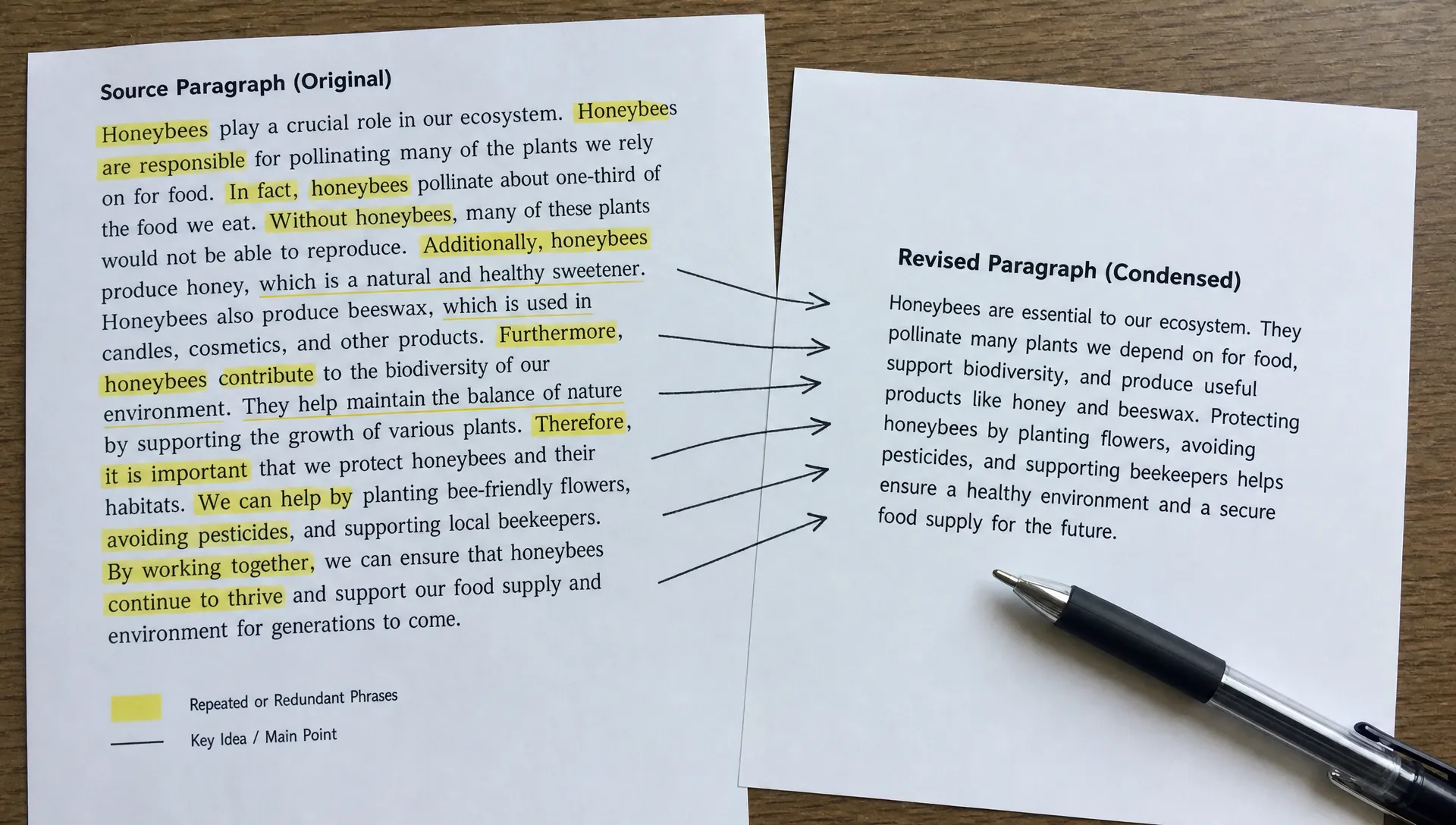
First drafts often mix the point, background, caveats and examples in one block. A generator can produce a compressed version that reveals which sentence is carrying the main meaning.
For example, a student writing about a history reading may include the date, author, context, argument, exception and interpretation in one paragraph. A shortened version can expose the central claim, making it easier to decide what belongs in the paragraph and what should move to another section.
It reveals repetition you stopped noticing
Writers repeat themselves because drafting is exploratory. You may explain the same idea once in abstract terms and again through an example. That can be useful early on, but it becomes clutter in a finished draft.
A shorten paragraph generator tends to collapse repeated ideas into one cleaner statement. Even if you do not use the generated version, you can compare it with the original and spot phrases that serve the same purpose.
It improves rhythm and paragraph focus
A strong draft has variation. Some paragraphs are short and direct. Others slow down to explain a method, case or implication. Problems arise when every paragraph is dense.
Using a generator on selected paragraphs can help you create better rhythm. Instead of rewriting an entire document into clipped text, you can identify the paragraphs that need tightening most: introductions, transitions, summaries and conclusions.
It helps you adapt writing to the reader
A technical reader may need precision. A manager may need the decision point. A student may need the concept in plain language before reviewing the original. A creator may need a short version that works as an email intro or script segment.
A paragraph shortening tool can quickly generate versions for different levels of detail. The human job is to choose the version that fits the audience and restore any necessary nuance.
| Draft problem | What the generator helps expose | What you should check manually |
|---|---|---|
| Paragraph feels too long | The main idea and removable detail | Whether key evidence was cut |
| Writing sounds repetitive | Duplicate claims or phrases | Whether repetition was intentional for emphasis |
| Sentence structure is hard to follow | Simpler wording and clearer order | Whether technical terms still mean the same thing |
| Draft needs a different format | A more concise version for the audience | Whether tone matches the channel |
| Summary feels vague | Missing specifics from the original | Whether names, numbers or limits are needed |
A practical example: from dense to usable
Here is a typical draft paragraph:
Because the team had gathered feedback from customers across several different channels, including support tickets, onboarding calls and survey responses, it became clear that the main issue was not that users disliked the feature itself, but that they did not understand when to use it, how it connected to their existing workflow or why it mattered enough to change their current habits.
A shortened version might read:
Customer feedback showed that users did not dislike the feature. They were unclear about when to use it, how it fit their workflow and why it was worth changing their habits.
The shorter version is easier to understand because it moves the main finding forward. It removes the long setup, keeps the contrast and preserves the three user concerns.
But it also cuts useful context. If the feedback channels matter to your argument, you might revise it this way:
Feedback from support tickets, onboarding calls and surveys showed that users did not dislike the feature. They were unclear about when to use it, how it fit their workflow and why it was worth changing their habits.
This is where human editing matters. The generator gives you a cleaner path, but you decide what evidence belongs in the final version.
How to use a shorten paragraph generator without weakening your writing
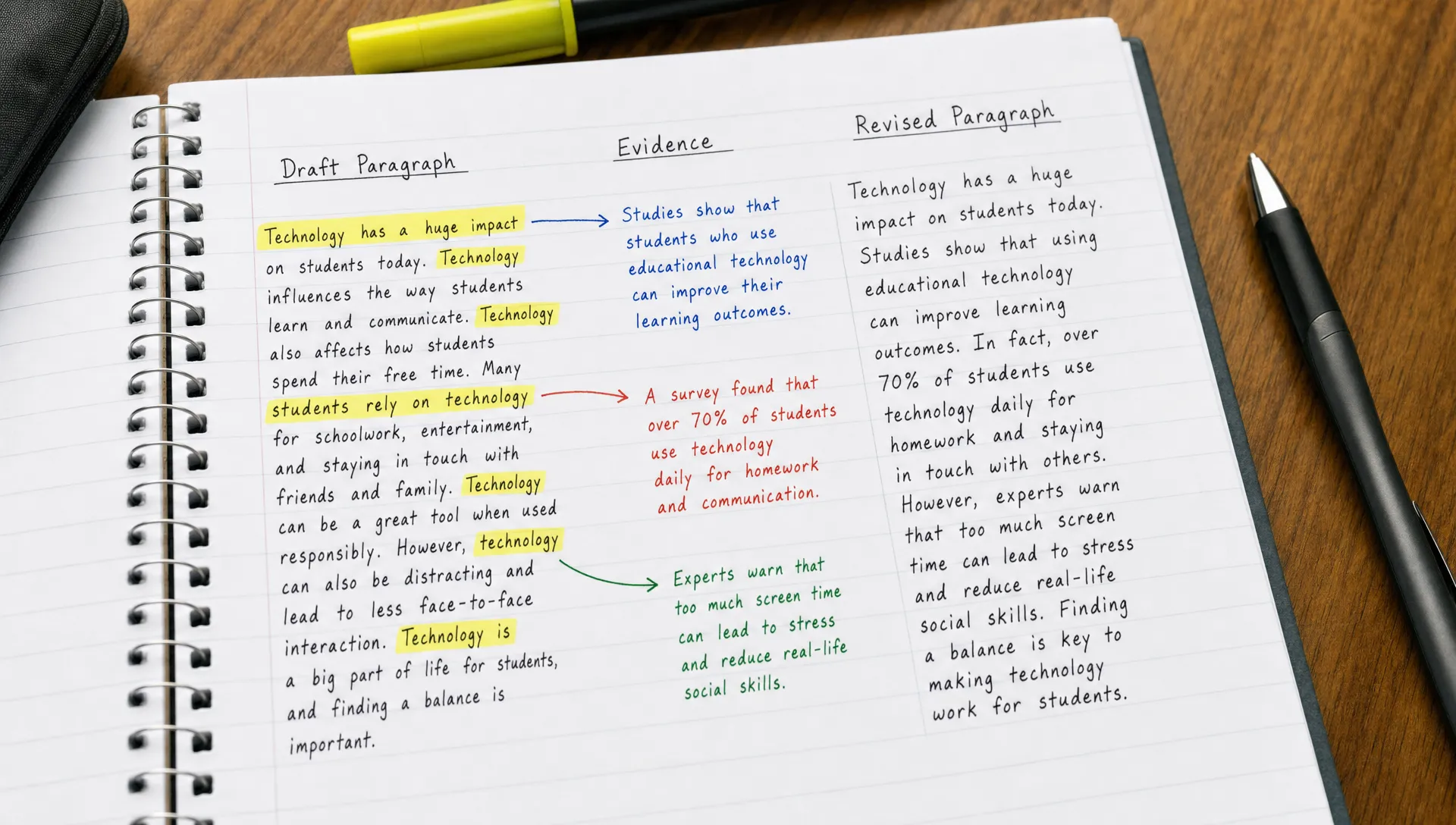
The best results come from giving the tool a clear job. If you simply paste a paragraph and ask for a shorter version, you may get something clean but too generic. A better workflow gives the generator purpose and gives you a checklist for review.
- Set the purpose before shortening: Decide whether you want the paragraph to become clearer, more concise, more accessible, more formal or easier to repurpose.
- Work one paragraph at a time: Shortening an entire draft at once can hide important changes. Paragraph-level editing makes it easier to compare meaning.
- Ask for more than one version: Try a concise version, a plain-language version and a version that keeps technical detail. Comparing versions often shows the best phrasing.
- Compare against the original: Check whether the main claim, evidence, qualifiers and tone are still intact.
- Edit the output yourself: Treat the generated paragraph as a strong starting point, not the finished draft.
If your paragraph comes from a longer article, report or research paper, it can also help to create notes first. A note-based workflow makes the main ideas easier to see before you start rewriting. For that, the guide on turning articles into notes for work or study is a useful companion.
What not to let the tool remove
Concise writing should still be accurate. This is especially important for academic, legal, technical and research-heavy material, where a small phrase can change the meaning.
PlainLanguage.gov recommends omitting unnecessary words and using concise construction, but concise does not mean stripped of all context. A paragraph about a study may need the sample size, method or limitation. A product update may need the condition under which a feature works. A policy summary may need exceptions.
Watch carefully for these losses:
- Lost qualifiers: Words like often, may, under certain conditions and in this sample can be essential.
- Missing evidence: A short paragraph that removes the source of a claim may become less credible.
- Flattened tone: A generated version can sound polished but generic.
- Over-simplified technical terms: Replacing a precise term with a common word can distort meaning.
- Broken citation context: If a paragraph refers to a source, the shortened version must not make the claim sound like your own unsupported statement.
For research writing, the safest approach is to shorten for readability first, then restore any details needed for accuracy.
Where paragraph shortening helps different readers
A shorten paragraph generator is useful because dense writing appears in many settings. The goal changes by audience, but the basic benefit is the same: make the main idea easier to work with.
| Reader type | Common draft problem | Helpful use of paragraph shortening |
|---|---|---|
| Students | Notes and essays include too much copied phrasing | Turn long source-based paragraphs into clearer study language |
| Researchers | Literature notes contain method, result and interpretation in one block | Separate the claim from evidence and limitations |
| Professionals | Reports and briefs bury the decision point | Move the key takeaway closer to the beginning |
| Content creators | Long articles need to become scripts, posts or newsletters | Create shorter versions for different formats |
| Educators | Complex material is too dense for learners | Produce a simpler explanation while preserving the concept |
Creators can also use shortened paragraphs as building blocks for repurposing. A long essay section can become a newsletter paragraph, a short script beat or a social caption. If that is your main goal, this article on how a content repurposing tool saves time for creators explains the broader workflow.
How unrav.io fits into a paragraph shortening workflow
Some tools focus only on cutting text. That can be enough for simple editing, but many paragraphs are difficult because the source material is difficult. You may need to understand a PDF, article, YouTube video, podcast or pasted passage before you can write a better paragraph about it.
unrav.io is designed as an AI-powered reading companion for that kind of work. It helps reframe content through different thinking modes, such as quick grasp for faster orientation or teach-it mode for clearer explanation. Once the source is easier to understand, shortening a paragraph becomes less mechanical because you know what the paragraph needs to preserve.
A practical workflow might look like this:
- Use unrav.io to understand the source: Start with the article, PDF, video or pasted text so you are not rewriting from confusion.
- Extract the main idea: Identify the claim, supporting point or explanation the paragraph needs to carry.
- Generate a shorter version: Ask for a concise paragraph that keeps the main idea and necessary context.
- Review for accuracy: Compare the shorter version with the original source and your intended audience.
- Polish for voice: Adjust wording so the paragraph sounds like your draft, not a generic summary.
This keeps AI in the right role: helping you understand and reshape content faster while leaving judgment, accuracy and final wording to you.
How to choose a good shorten paragraph generator
A good tool should help you make better decisions about your draft, not just make text shorter. When comparing options, look for features that support understanding, control and review.
Useful qualities include:
- Clear preservation of the main idea
- Options for different lengths or reading levels
- Ability to simplify without removing technical accuracy
- Support for source formats you actually use
- Easy comparison between original and shortened text
- Modes for different goals, such as quick grasp, teaching or repurposing
If a tool produces a shorter paragraph that sounds smooth but loses the point, it has not improved the draft. The best output is concise, specific and faithful to the original meaning.
Frequently Asked Questions
What is a shorten paragraph generator? A shorten paragraph generator is an AI or writing tool that rewrites a paragraph in a more concise form. Its goal is to reduce clutter while keeping the main idea clear.
Will a shorten paragraph generator change my meaning? It can if you accept the output without review. Always compare the shorter version with your original and check that the main claim, evidence and qualifiers are still present.
Can I use a shorten paragraph generator for academic writing? Yes, but carefully. It can help make academic paragraphs clearer, but you should verify terminology, citations, methods, limitations and any claims that depend on precise wording.
Is a shorten paragraph generator the same as a summarizer? Not exactly. A summarizer usually condenses a larger text into key points. A paragraph shortener works at a smaller scale and focuses on improving one paragraph while preserving its purpose in the draft.
How short should a paragraph be? There is no fixed length that works everywhere. A paragraph should be long enough to develop one idea and short enough that the reader can follow it without losing the thread.
Make your next draft easier to revise
A shorten paragraph generator can improve your drafts by showing you what is essential, what repeats and what can be said more clearly. It is most useful when you treat it as part of a thoughtful editing process: understand the source, shorten with a purpose, compare versions and revise by hand.
If your writing starts from dense material, try using unrav.io to understand the source first, then turn that understanding into clearer paragraphs. The result is not just shorter writing. It is a draft that gives readers less work to do while keeping the meaning intact.