Free AI Note Taker Options for Classes, Meetings, and Reading
If you searched for a free AI note taker, you are probably not looking for one more place to dump text. You want help turning messy information into something you can actually use later.
That need changes depending on the source. A student in a lecture needs clean concepts and review questions. A manager in a meeting needs decisions and action items. A researcher reading a paper needs the argument, method, evidence, and limitations. A creator watching a long interview may need themes, quotes, and a draft outline.
The best free option is not always the most powerful tool. It is the tool that matches the kind of material you work with and the kind of notes you need at the end.
What a free AI note taker can and cannot do
AI note-taking tools usually help with one or more of three jobs: capturing raw material, organizing information, and turning that information into a useful format.
For live conversations, the first job is transcription. For PDFs, articles, videos, and podcasts, the raw material already exists, but it may be too long or dense to process quickly. In that case, the real value is not just summarization. It is helping you see structure, extract important ideas, ask better questions, and create notes you can review.
A free AI note taker can usually help you:
- Turn a lecture, meeting, article, or transcript into a shorter summary.
- Extract key points, definitions, decisions, action items, or open questions.
- Reformat information into study notes, outlines, tables, flashcards, or teaching explanations.
- Compare sections of a document or identify repeated themes.
- Create a first draft of notes that you can verify and improve.
It cannot guarantee perfect accuracy. It may miss nuance, misunderstand jargon, or over-compress important details. For academic work, client work, legal material, medical information, or strategic decisions, always check the original source before relying on the notes.
Free plans also come with limits. Some restrict transcription minutes. Others limit file size, number of uploads, history, export options, or advanced AI features. Treat free tools as a starting point for building your workflow, not as a permanent guarantee of unlimited use.
If you want a deeper checklist before choosing a tool, this guide on what to look for in an AI note taking app explains the tradeoffs in more detail.
Quick comparison: which free option fits your use case?
| Use case | Free option to consider | Best for | Main limitation |
|---|---|---|---|
| Live classes | Built-in captions, recorder transcripts, or student note apps | Capturing lectures and turning them into review notes | Requires permission and usually needs cleanup |
| Team meetings | Freemium meeting assistants | Decisions, action items, and follow-ups | Privacy rules, call limits, and consent requirements |
| PDFs and research papers | AI reading companions such as unrav.io | Understanding structure, claims, methods, and implications | You still need to verify important passages |
| Articles and reports | Link-based AI readers or browser extensions | Fast grasping and reusable summaries | May miss context if the source is fragmented |
| YouTube lectures or webinars | Transcript-based note workflows | Learning from long videos without rewatching everything | Transcript quality varies |
| Podcasts | Podcast transcript tools or AI readers | Capturing ideas from audio learning | Speaker names and timestamps may be imperfect |
| Personal notes | General AI chatbots or note apps with AI features | Cleaning messy notes and creating outlines | Long-term organization depends on your system |
Free AI note taker options for classes
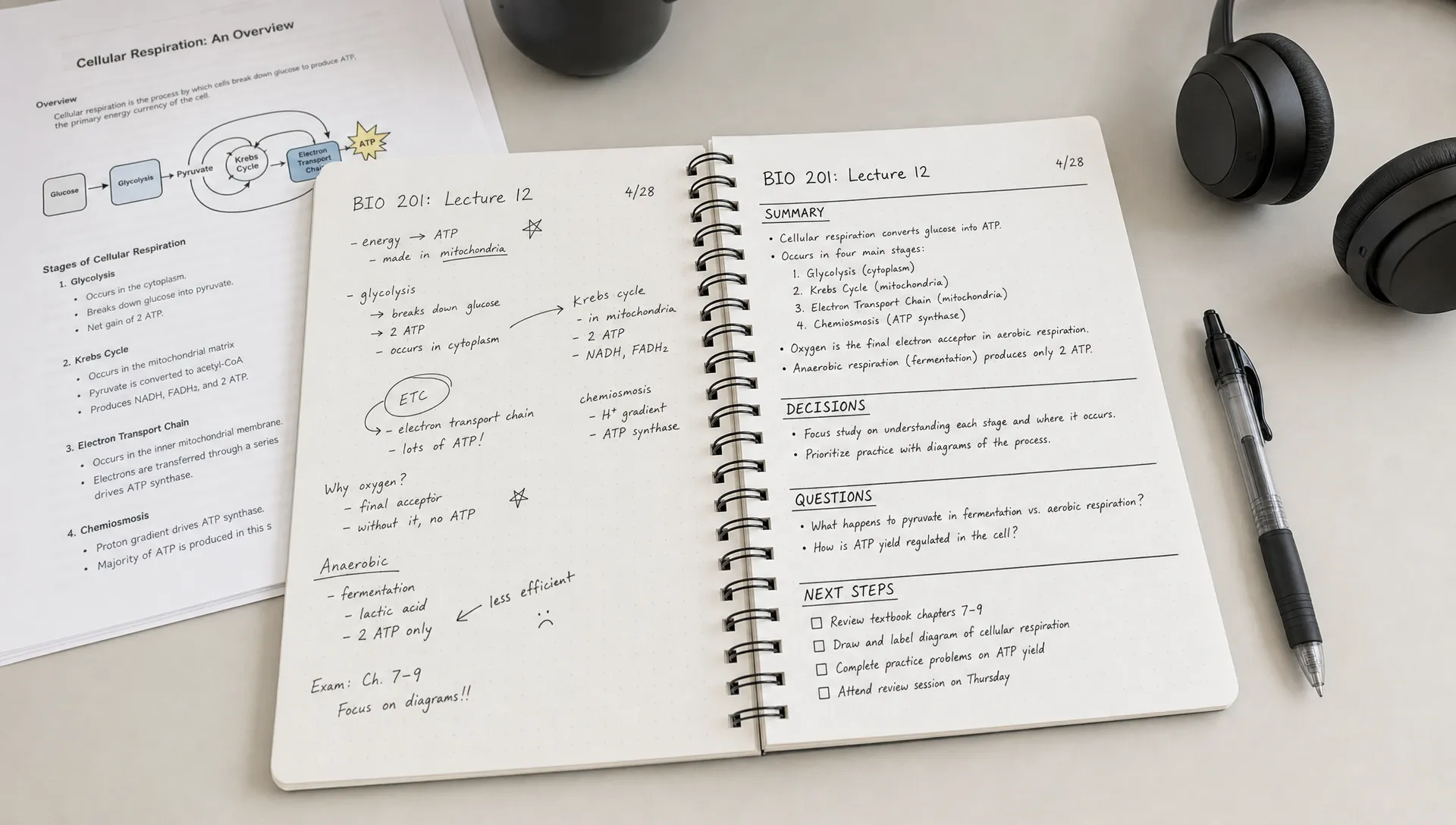
For classes, the goal is not to capture every sentence. It is to leave with notes that help you understand the topic, prepare for exams, and connect the lecture to readings or assignments.
Start with the tools your school already provides. Many learning platforms, video lecture systems, and classroom recording tools include captions or transcripts. If your class uses Zoom, Microsoft Teams, Google Meet, Panopto, or a similar system, check whether transcripts are available through your institution. These built-in options are often safer than uploading class content to a random third-party tool.
If recording is allowed, you can use a simple workflow: capture the transcript, clean obvious errors, then ask an AI tool to organize it. The best output is usually not a generic summary. Ask for lecture headings, key definitions, examples, formulas, confusing points, and likely exam questions.
The Cornell note-taking system is a useful human framework to combine with AI. You can ask the tool to turn a transcript into three sections: main notes, cue questions, and a short summary. This keeps the notes active rather than passive.
For students, good prompts include requests like: summarize this lecture as study notes, list the concepts I should be able to explain, turn this into quiz questions, or identify what I should review from the textbook.
The important habit is to edit the AI output soon after class. Add your professor’s emphasis, examples from discussion, and anything that connects to assignments. AI can speed up note creation, but your judgment turns those notes into study material.
Free AI note taker options for meetings
Meeting notes have a different purpose. You are usually not studying the meeting later. You need to remember what was decided, who owns each task, what remains unresolved, and what context matters for the next conversation.
Freemium meeting assistants such as Otter, Fireflies, Fathom, and tl;dv are common starting points. They can join calls or process recordings, then generate transcripts, summaries, and action items. Free plans often work well for light use, but they may limit recording time, integrations, searchable history, or the number of meetings you can process.
Before inviting an AI note taker to a meeting, check your organization’s policy. In many workplaces, participants must be informed when a call is recorded or transcribed. Sensitive conversations, hiring discussions, medical topics, legal matters, and customer data may require extra caution.
A strong meeting note format usually includes:
- Meeting purpose and date.
- Decisions made.
- Action items with owners and deadlines.
- Risks, blockers, or open questions.
- Important context that explains why a decision was made.
AI tools sometimes create action items that sound precise but were not actually agreed upon. Review the transcript before sending notes to the team. If the meeting matters, use AI to draft the minutes, then confirm the final version yourself.
Free options for reading notes from PDFs, articles, and reports
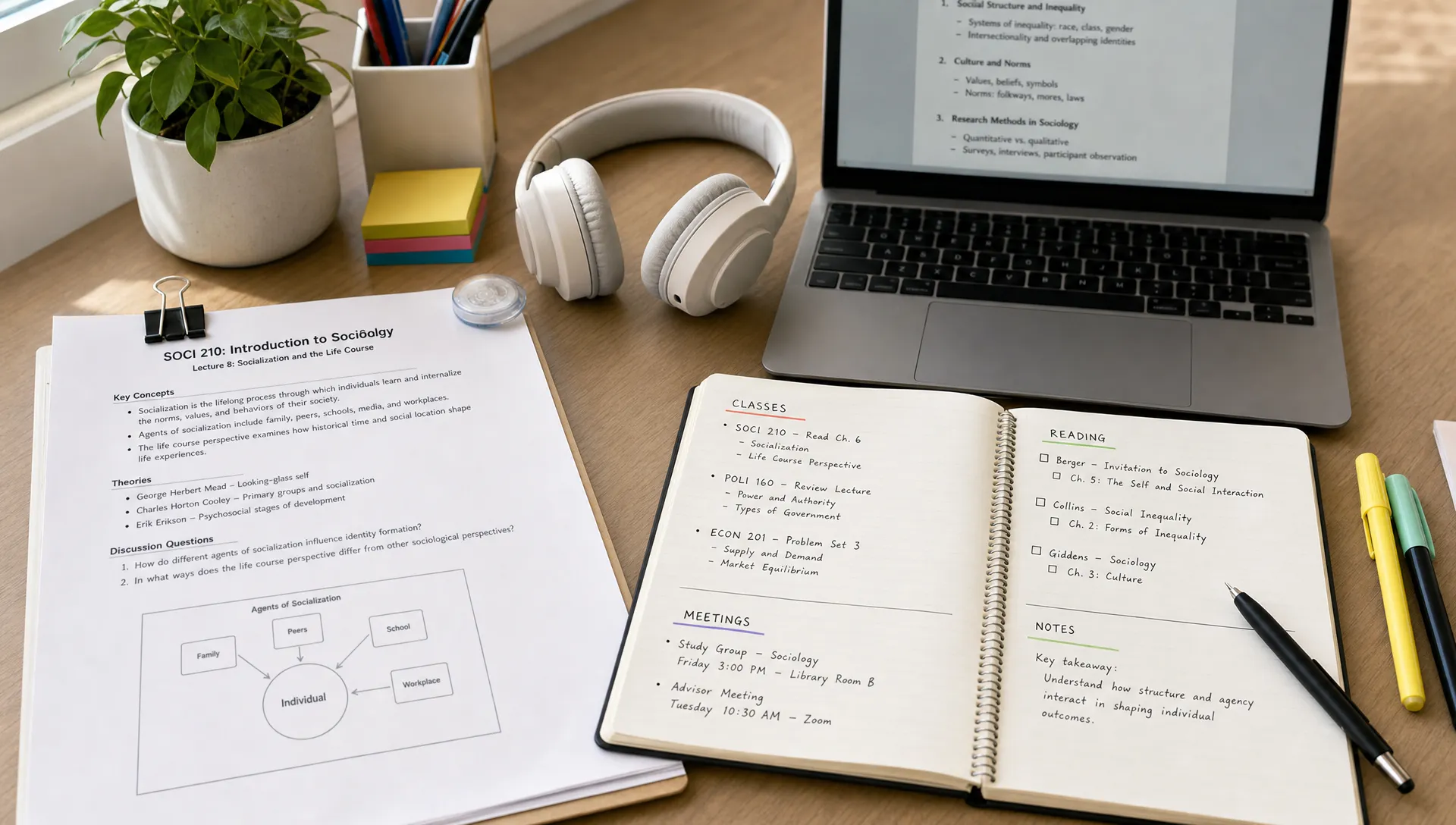
Reading notes are often where AI becomes most useful for researchers, analysts, students, and knowledge workers. Unlike meetings, the challenge is not live capture. The challenge is understanding dense material without flattening it into a vague summary.
For a PDF, research paper, policy report, or long article, ask for structure before summary. A good reading note should tell you what the source is trying to do, how the argument is built, what evidence supports it, and where the limitations are.
This is where an AI reading companion such as unrav.io can be helpful. unrav.io works with links and text, and it can also help with formats such as PDFs, YouTube, and podcasts. Instead of only compressing content, it is designed to reframe material depending on your goal, such as getting a quick grasp, digging deeper, or using a teach-it style explanation.
For research-heavy PDFs, you can use a simple sequence. First, ask for the main claim and section-by-section structure. Next, ask for methods, evidence, assumptions, and limitations. Then ask the tool to explain the paper as if you need to teach it to someone else. Finally, return to the original PDF to verify any passages you plan to cite.
If you often work with long documents, this guide on how to chat with PDF files without losing context is a useful next step.
Free options for YouTube videos and podcasts
Many people use video and audio for learning, but these formats are hard to review. You may watch a one-hour lecture or listen to a detailed podcast, then remember only a few scattered ideas later.
For YouTube, start with the transcript when available. You can paste the transcript into an AI tool and ask for structured notes, timestamps, definitions, or a chapter outline. If the video is a tutorial, ask for the workflow steps. If it is an interview, ask for themes, claims, examples, and memorable quotes to verify.
A transcript-based workflow is usually better than asking for a broad summary from the title alone. It keeps the notes grounded in the actual content. For a more detailed process, see this YouTube video to notes workflow for faster learning.
Podcasts work similarly, but speaker turns and timestamps can be messier. If the podcast provides a transcript, use it. If not, use a tool that can process the audio or a platform that provides transcript access. Then ask for topic clusters, key arguments, examples, and follow-up questions.
For creators, podcast and video notes can become outlines for newsletters, scripts, social posts, or research briefs. Just be careful with direct quotes. Always confirm exact wording in the original audio or transcript.
General AI chatbots as free note takers
General AI chatbots can also work as free note-taking tools, especially when you already have text to paste. They are useful for cleaning messy notes, turning bullet points into an outline, creating flashcards, or summarizing short documents.
The main weakness is context management. If you paste a very long source, the tool may skip sections or blend ideas together. If you ask a broad question, it may produce a polished answer that feels useful but is too general.
To get better results, give the tool a clear role and a clear source boundary. For example, say: use only the text below, do not add outside information, preserve uncertainty, and flag anything that is unclear. Then paste the material.
General chatbots are best for flexible note transformation. Dedicated reading or meeting tools are often better when you need source handling, transcripts, timestamps, document context, or repeatable formats.
How to choose the right free AI note taker
The easiest way to choose is to start with your input, not the tool’s feature list. Ask what you need to process most often.
| Your main input | Best starting point | Why |
|---|---|---|
| Live lectures | Transcript or recording tool plus AI organizer | Captures spoken content, then turns it into study notes |
| Team calls | Meeting assistant | Focuses on decisions, action items, and follow-up |
| PDFs and papers | AI reader or PDF-aware tool | Keeps the document structure visible |
| Web articles | Browser-based reader or link processor | Saves copying and pasting |
| YouTube videos | Transcript-based AI notes | Reduces rewatching and improves review |
| Podcasts | Transcript or audio-aware AI workflow | Turns listening into searchable notes |
| Existing messy notes | General AI chatbot | Fast cleanup and restructuring |
Also consider how you will use the notes later. If you need exam prep, choose a workflow that creates questions and review summaries. If you need team accountability, prioritize action items and owners. If you need research synthesis, prioritize citations, limitations, and comparisons across sources.
A free AI note taker is only valuable if the notes are easy to revisit. Decide where final notes will live, such as Notion, Google Docs, Obsidian, Apple Notes, OneNote, or your reference manager. AI can create the draft, but your storage system makes it reusable.
A simple workflow for better AI notes
You do not need a complicated system. A reliable workflow has five steps.
- Capture the source: Use a transcript, PDF, article link, video transcript, podcast transcript, or your rough notes.
- Define the purpose: Tell the tool whether you need study notes, meeting minutes, a research brief, a teaching explanation, or content ideas.
- Ask for structure first: Request headings, sections, themes, or a concept map before asking for a short summary.
- Generate the useful format: Convert the structured notes into quiz questions, action items, flashcards, an outline, or a briefing memo.
- Verify and save: Check important claims against the original source, then store the final version in your note system.
This workflow prevents a common mistake: accepting the first AI summary as the final note. The first answer is usually just a draft. The best notes come from one or two follow-up questions.
Prompt examples you can reuse
Use these prompts as starting points. Adjust them based on your source and goal.
- For a lecture: Turn this transcript into study notes with key concepts, definitions, examples, and five quiz questions.
- For a meeting: Create concise meeting notes with decisions, action items, owners, deadlines, and unresolved questions.
- For a research paper: Identify the research question, method, main findings, evidence, limitations, and terms I should understand.
- For a PDF report: Summarize the report section by section, then list the top insights and the evidence behind each one.
- For a YouTube tutorial: Turn this transcript into a step-by-step workflow with timestamps and common mistakes to avoid.
- For content creation: Extract the main themes, useful examples, potential quotes to verify, and three outline ideas based on this source.
The more specific your prompt, the better the notes. Instead of asking for a summary, tell the tool what kind of thinking you need from the material.
Frequently Asked Questions
What is the best free AI note taker? The best free AI note taker depends on your source. Use a meeting assistant for calls, a transcript workflow for lectures, an AI reader for PDFs and articles, and a general chatbot for cleaning up existing notes.
Can AI take notes in class for me? AI can help capture and organize class material if recording or transcription is allowed. It should not replace active listening, participation, or your own review. Always follow your school’s rules.
Are free AI meeting note takers safe to use? They can be useful, but safety depends on the meeting content, your company policy, participant consent, and the tool’s data practices. Avoid using them for sensitive conversations unless you have approval.
Can a free AI note taker summarize PDFs? Some free tools can summarize PDFs, but quality varies. For dense papers or reports, ask for structure, claims, evidence, and limitations instead of only asking for a short summary.
How do I make AI notes more accurate? Provide the actual source text or transcript, give a specific prompt, ask the tool to separate facts from assumptions, and verify important details against the original material.
Take the next step
A free AI note taker can save time, but the best results come from matching the tool to the job. Meetings need decisions and action items. Classes need review-ready study notes. Reading needs structure, context, and careful verification.
If most of your work involves articles, PDFs, videos, podcasts, or pasted text, try using unrav.io as a reading companion. It can help you move beyond simple summaries and reframe complex content into clearer notes for learning, teaching, research, or content creation.