

AI Reading Assistant Workflows for Dense Reading
Dense reading is not hard only because the words are difficult. It is hard because the material asks you to hold too many things in your head at once: definitions, claims, evidence, assumptions, exceptions and your own reason for reading.
An AI reading assistant can help, but only if you use it as more than a summary button. Dense reading needs a workflow. The goal is not to avoid reading. The goal is to know where to read closely, what to look for and how to turn the material into something you can remember or use.
Below are practical AI reading assistant workflows for research papers, PDFs, reports, technical articles, textbooks, long videos and other demanding sources. You can adapt them for study, research, analysis, writing, teaching or professional decision making.
Dense reading is a workflow problem
Most people approach dense material in one of two ways. They either try to read everything from start to finish, which is slow and tiring, or they ask AI for a short summary, which is fast but often too shallow.
Both approaches miss the real problem: dense reading has stages. You need to orient yourself, identify the structure, slow down on the important parts, test your understanding and create a usable output.
An AI reading assistant is useful because it can reframe the same source through different lenses. For example, you might first ask for a quick grasp, then ask for the argument structure, then ask for a teaching explanation, then turn the result into notes. Each pass has a different job.
This matters because a dense source is rarely dense everywhere. A 40 page report may contain only five pages that matter for your decision. A research paper may have a simple conclusion but a method section that needs close attention. A technical article may be readable until one key concept breaks your understanding.
The workflow helps you decide where your human attention is most needed.
Start by defining the reading outcome
Before you upload a PDF, paste an article or open a long video, define what you need at the end. This takes less than a minute and improves every AI output that follows.
Ask yourself:
- Am I reading to understand, remember, critique, decide or create?
- What would count as a useful output: notes, a study guide, a brief, a comparison table, an outline or a list of questions?
- Which parts are high stakes and need source checking?
- What do I already know about the topic?
Here is a simple way to match your reading goal with the assistant workflow:
| Reading goal | Best AI use | Human responsibility |
|---|---|---|
| Get oriented | Preview the structure and main claims | Decide whether the source is worth deeper reading |
| Study for a class | Create explanations, recall questions and notes | Test yourself without looking at the answer first |
| Review research | Extract question, method, findings and limits | Check the paper directly before citing or trusting it |
| Summarize a report | Find the big picture, risks and decisions | Verify numbers, charts and recommendations |
| Create content | Turn source ideas into an outline or script | Add judgment, examples and audience fit |
If you skip this step, the AI will usually produce a generic summary. That may feel productive, but it often leaves you with the same problem you had before: you still do not know what to do with the information.
Workflow 1: Preview before you commit to deep reading
Use this workflow when you face a long article, academic paper, report or PDF and do not yet know how much attention it deserves.
Start with a quick orientation pass. Ask the assistant to identify the source type, topic, purpose, audience, central claim and sections that likely deserve close reading. In unrav.io, this is the kind of situation where a quick grasp mode is useful because you are trying to build a first mental map, not master every detail.
A useful prompt looks like this:
Give me a quick grasp of this source. Identify the main question, the author’s central claim, the structure of the piece, the parts I should read closely and the parts I can skim.
Then scan the original source with that map in mind. Do not treat the preview as the final answer. Treat it as a reading plan.
This workflow is especially helpful when you have too many sources and too little time. Students can use it to decide which assigned readings need deep review before an exam. Researchers can use it to triage papers for a literature review. Professionals can use it to sort industry reports, policy briefs or market analysis.
If you often move between fast orientation and closer reading, it helps to choose between quick grasp and deep dive before you start. The right mode depends on the risk of misunderstanding and the importance of the source.
Workflow 2: Extract the argument, not just the summary
A summary tells you what a source says. An argument map tells you how the source works.
This distinction matters for dense reading. Many difficult texts are not hard because the conclusion is hidden. They are hard because the conclusion depends on assumptions, methods, definitions or chains of reasoning that are easy to miss.
Ask your AI reading assistant to break the source into argument parts:
| Argument part | What to ask the assistant to identify |
|---|---|
| Main question | What problem is the source trying to answer? |
| Central claim | What does the author want the reader to accept? |
| Evidence | What data, examples, citations or reasoning support the claim? |
| Assumptions | What must be true for the argument to hold? |
| Limits | Where does the author qualify the claim? |
| Implications | What changes if the argument is correct? |
This workflow is useful for academic papers, essays, legal analysis, strategy documents and opinionated technical writing. It also protects you from mistaking a polished explanation for a strong argument.
For example, when reading a research paper, ask for the research question, method, dataset or sample, key findings and limitations. Then read the abstract, method, results and conclusion yourself. AI can help you see the structure, but your trust should come from checking the source.
For long reports, this same workflow helps you separate recommendations from supporting evidence. If the source is a PDF with tables, footnotes or sections that hide the main point, you may want a dedicated process to read a PDF with AI and pull out the ideas that matter without losing the original structure.
Workflow 3: Turn confusion into questions
Dense reading often breaks down at a specific point. One term, formula, framework or assumption blocks the rest of the text. When that happens, asking for a shorter summary is rarely enough.
Instead, use the assistant to convert confusion into questions. Paste the difficult section and ask:
What background knowledge does this passage assume? Explain the key terms in plain language, then list the questions I should answer before I continue reading.
This workflow works well for technical documentation, academic theory, philosophy, finance, medicine, law and scientific papers. It is also useful for videos and podcasts where the speaker moves quickly through ideas you have not fully learned.
The output should not only explain the passage. It should show you what you need to learn next. That might include a definition, a prerequisite concept, a distinction between similar terms or a warning that the passage is using a word in a specialized way.
A good follow-up prompt is:
Explain this passage at three levels: beginner, informed student and specialist. Keep the meaning consistent across all three versions.
This helps you move from surface familiarity to actual understanding. If all three explanations point to the same underlying idea, you are probably getting closer. If they conflict, go back to the source and check the wording.
Workflow 4: Read once, test twice
Passive reading feels efficient until you try to recall what you read the next day. Dense material needs retrieval practice. An AI reading assistant can help you build that practice into your workflow.
After reading a section, ask the assistant to create recall questions. Do this before asking for a polished explanation. Answer from memory first, then compare your answer with the source and the AI output.
For students, this can become a study loop: preview the reading, read the important section, answer recall questions, then ask for a clearer explanation of anything you missed. For researchers, it can become a paper review loop: summarize the method from memory, check against the paper, then note uncertainties. For professionals, it can become a briefing loop: explain the recommendation without notes, then verify the supporting evidence.
The key is to avoid letting AI do all the thinking before you try. If you always read the answer first, you may recognize the idea without being able to use it later.
unrav.io includes different thinking modes, including ways to quickly grasp or teach material. A teach-it style pass is especially useful after you have already attempted your own explanation because it gives you a clearer version to compare against your understanding.
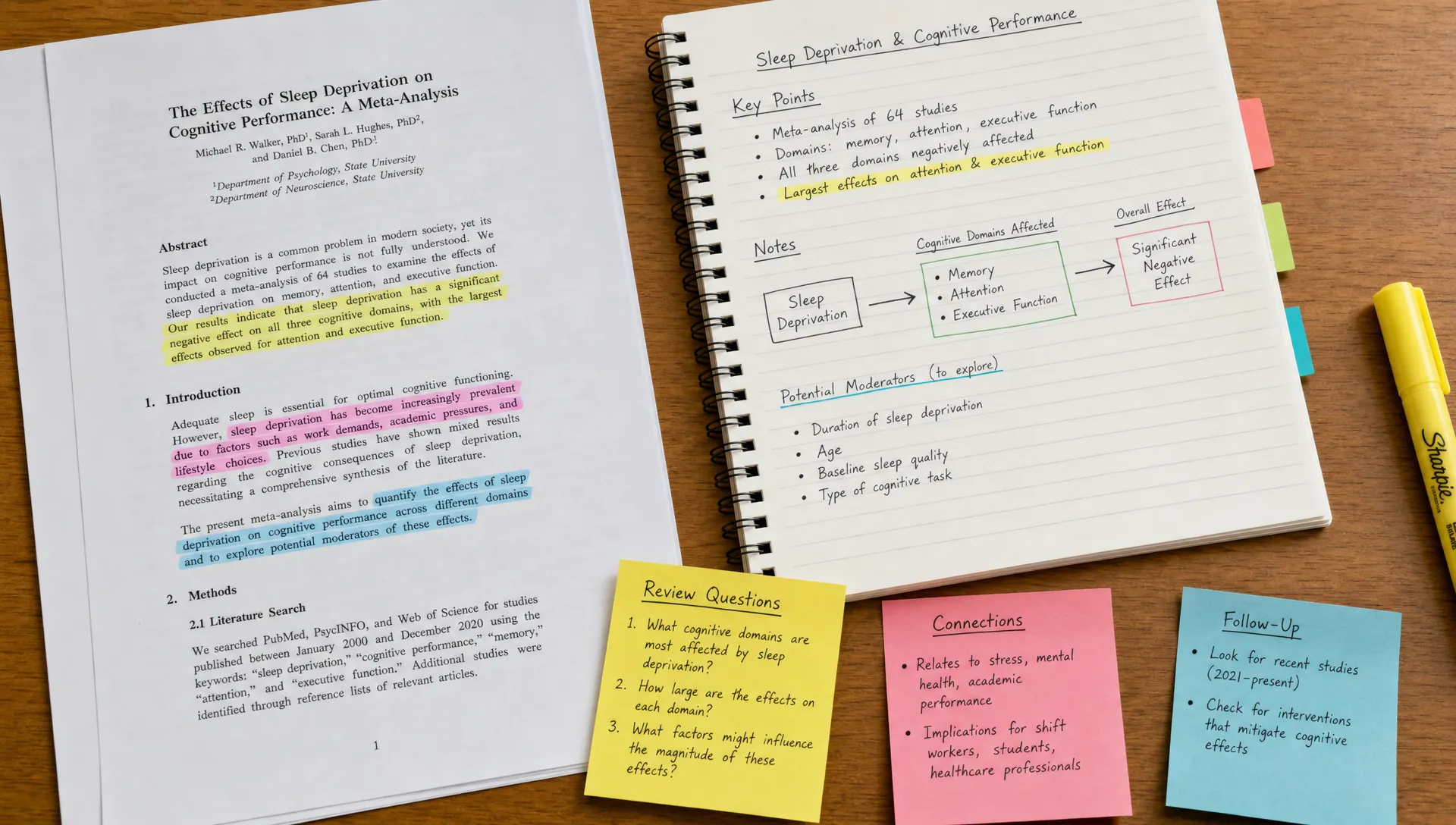
Workflow 5: Build notes that survive next week
A summary is useful today. Good notes are useful next week.
After you understand the source, ask your AI reading assistant to help turn it into notes with a specific structure. Avoid asking for everything. The goal is to preserve the ideas that will matter later.
A practical note structure looks like this:
| Note field | What to capture |
|---|---|
| Source | Title, author or link so you can return to it |
| Purpose | Why you read it |
| Core idea | The main claim or lesson in your own words |
| Evidence | The strongest support, with details to verify in the source |
| Useful concepts | Terms, frameworks or distinctions worth keeping |
| Questions | What remains unclear or worth checking |
| Next action | How you will use the material |
This format works for class readings, research papers, work reports and content research. It prevents the common problem of collecting highlights that make sense only while the original source is still fresh in your head.
If your main goal is note making, you can adapt the process in this guide on how to turn articles into notes for work or study. The important shift is to stop treating notes as a compressed copy of the article. Notes should be a usable version of your understanding.
Workflow 6: Compare multiple sources without blending them together
AI can help you compare sources, but this is where you need to be careful. When several documents discuss the same topic, a model may blend ideas into one smooth answer. That can hide disagreements, weak evidence or different definitions.
Use a comparison workflow that keeps sources separate first. Ask for a table that identifies what each source claims, what evidence it uses and where it differs from the others. Only after that should you ask for synthesis.
For example, a researcher reviewing five papers might ask for each paper’s research question, method, finding and limitation. A product manager reviewing customer interviews might ask for repeated pain points, contradictory feedback and quotes to verify. A creator reviewing several long articles might ask for shared themes, unique angles and gaps they can address.
A good comparison prompt is:
Compare these sources without merging them too early. For each one, identify the main claim, evidence, limits and unique contribution. Then summarize the points of agreement and disagreement.
This workflow is useful for literature reviews, market research, policy analysis and competitive research. It also helps prevent false consensus, where multiple sources appear to agree only because the summary removed the differences.
Workflow 7: Transform dense material for teaching or creation
Dense reading often ends with a second job: you need to explain what you learned to someone else.
An AI reading assistant can help transform complex material into formats that match your audience. Educators might turn a technical article into a lesson outline. Students might turn a chapter into a study guide. Analysts might turn a long report into an executive brief. Creators might turn a research paper into a newsletter outline, podcast script or video plan.
The best workflow is to specify the audience and output:
| Audience | Useful transformation |
|---|---|
| Beginner students | Plain language explanation with examples |
| Advanced students | Concept map, key terms and practice questions |
| Research team | Method, findings, limitations and open questions |
| Executives | Decision brief with risks and assumptions |
| Content audience | Outline, key takeaways and supporting examples |
Do not remove complexity too early. Simplification should preserve meaning. A good teaching prompt might say:
Turn this source into a teaching outline for people who are new to the topic. Keep the key distinctions, include one example for each major idea and mark anything that should not be oversimplified.
This is where tools like unrav.io fit naturally into a reading workflow. You can work with links, pasted text, PDFs, YouTube videos or podcasts, then reframe the material depending on whether you need a quick grasp, deeper understanding or a teachable explanation.
How to choose the right workflow for your situation
You do not need to use every workflow every time. Dense reading becomes easier when you match the workflow to the job.
| If you are a... | Start with this workflow | End with this output |
|---|---|---|
| Student | Preview, question, recall | Study notes and practice questions |
| Researcher | Argument map, method extraction, comparison | Paper matrix and research questions |
| Knowledge worker | Report preview, evidence check, brief | Decision summary or action memo |
| Content creator | Idea extraction, audience transformation | Outline, script or newsletter draft |
| Educator | Teach-it pass, examples, misconceptions | Lesson plan or explanation sequence |
| Lifelong learner | Quick grasp, glossary, recall | Personal notes and next topics to explore |
A simple rule: use AI early to orient yourself, use your own attention to judge important parts, then use AI again to organize and test what you learned.
Verification checklist for AI-assisted dense reading
AI can speed up comprehension, but it can also produce confident mistakes. The denser the material, the more important verification becomes.
Use this checklist before relying on the output:
- Check important claims against the original source.
- Verify numbers, dates, formulas, citations and quotes yourself.
- Keep track of what the source says versus what the AI inferred.
- Be cautious when the source contains tables, charts, legal details or technical methods.
- Ask for uncertainty, limitations and missing context.
- Re-read sections that affect a decision, grade, citation or published claim.
This does not make the workflow slower. It makes it safer. The point of an AI reading assistant is to reduce friction around understanding, not to replace judgment.
Common mistakes to avoid
The most common mistake is asking for a summary before deciding what you need. A generic summary may be fine for a casual article, but dense reading usually needs a sharper output.
Another mistake is using AI only at the beginning. Many readers get an initial summary, feel oriented and then stop. Better workflows use AI before, during and after reading: first to preview, then to clarify, then to test recall and create notes.
A third mistake is confusing fluency with accuracy. AI explanations can sound clean even when they miss a nuance. This is especially risky with academic methods, legal language, medical content, financial analysis and technical specifications.
Finally, avoid saving too much. If every paragraph becomes a note, nothing stands out. Dense reading should end with a smaller set of stronger ideas, not a larger pile of reorganized text.
Frequently Asked Questions
What is an AI reading assistant? An AI reading assistant is a tool that helps you understand written, audio or video content by summarizing, reframing, explaining and organizing it. The best use is not replacing reading, but making dense material easier to navigate and remember.
Can AI help me read academic papers faster? Yes, AI can help you preview the paper, extract the research question, explain difficult sections and turn the paper into structured notes. You should still verify the method, results, citations and any claim you plan to use.
Is a summary enough for dense reading? Usually not. A summary gives you the surface meaning, but dense reading often requires argument mapping, glossary building, recall practice and source comparison. Use summaries as one step in a larger workflow.
How should students use AI for dense readings? Students can use AI to preview assigned readings, explain difficult passages, create practice questions and build study notes. The most important step is answering questions from memory before looking at the AI explanation.
How can professionals use AI reading workflows? Professionals can use AI to summarize long reports, identify risks, extract recommendations and turn dense sources into briefs. Any decision-critical claim should be checked in the original document.
Make dense reading less dense
Dense reading becomes manageable when you stop treating it as one task. First orient yourself. Then identify the argument. Clarify confusing parts. Test your recall. Build notes. Compare sources when needed. Transform the material into the format your work or study requires.
An AI reading assistant can support each step, but the best results come from pairing AI speed with human judgment. Start with one difficult source, choose one workflow from this guide and create a clear output you can use later. That is the real measure of better reading: not how much you processed, but how much you understood well enough to apply.