
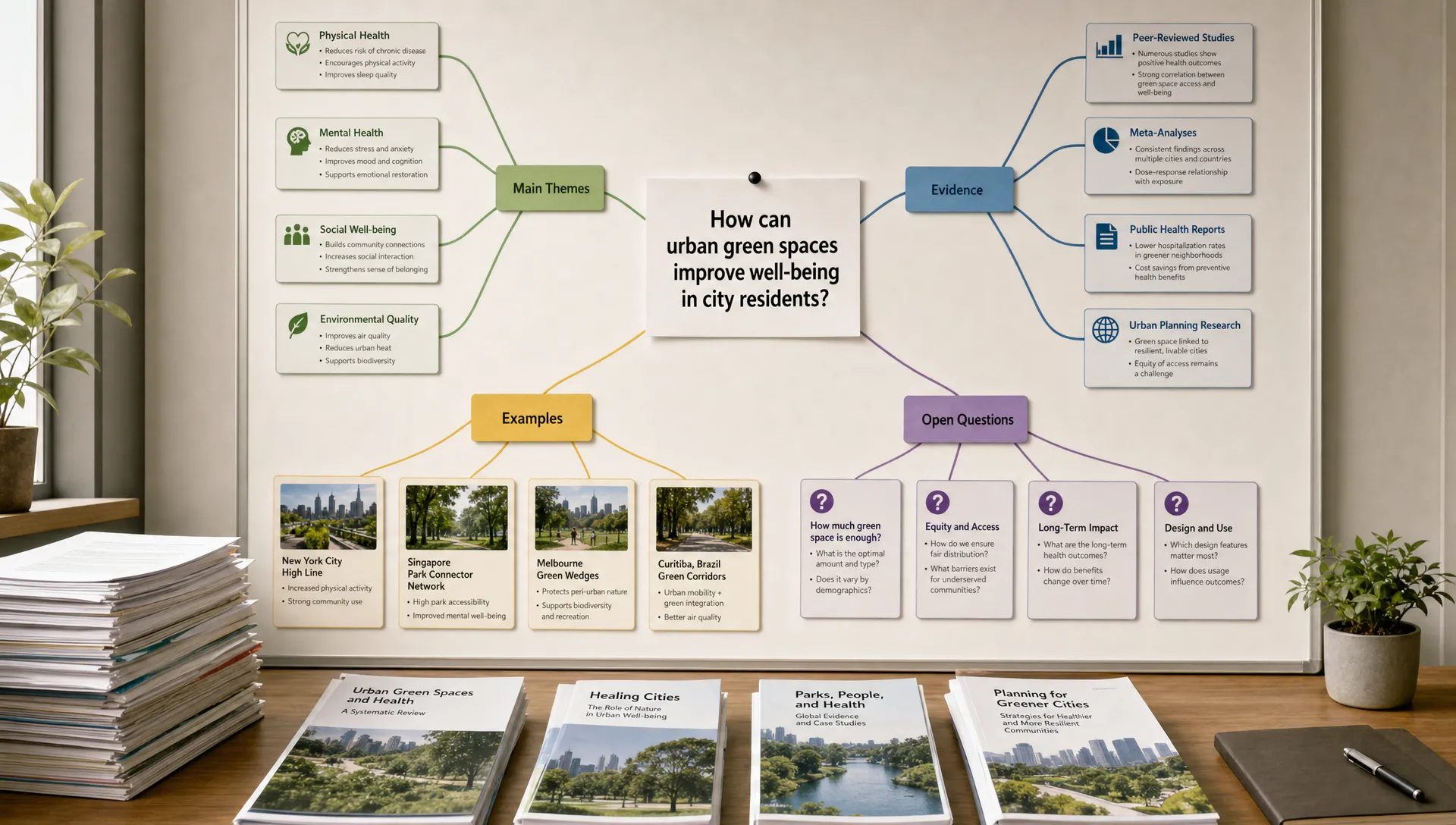
Mind Map Generator Free Tools That Help You Think Clearly
If your notes feel scattered, a mind map can help you see the structure hiding inside them. The problem is that many tools promise “visual thinking,” but some are better for quick brainstorming, some for research, some for team planning, and some for turning ideas into polished visuals.
A good mind map generator free option should do more than create bubbles on a page. It should help you clarify a question, group related ideas, spot gaps, and move from vague understanding to a usable structure.
This guide compares free mind map tools by real use case, then shows a simple workflow you can use for articles, PDFs, lectures, videos, reports, and study notes.
What a free mind map generator should help you do
Mind maps are useful when your problem is not just “too much content,” but “too many disconnected ideas.” Instead of reading linearly, you place the main topic in the center and branch outward into themes, details, examples, evidence, questions, and next steps.
That visual structure can help you:
- Understand how ideas relate to each other
- Break a complex topic into smaller parts
- Prepare for an essay, exam, meeting, or presentation
- Turn long-form content into an outline
- Compare arguments, findings, or options
- Remember material by organizing it spatially
Mind maps are closely related to concept maps, although they are not exactly the same. Concept maps usually emphasize labeled relationships between concepts, while mind maps often use a more radial, associative structure. Vanderbilt University’s guide to concept maps is a useful reference if you want to understand the learning theory behind visual organization.
The best tool depends on what kind of thinking you are doing. A student summarizing a biology chapter does not need the same tool as a product team planning a launch or a researcher mapping 20 papers.
Quick comparison of free mind map generator tools
Free plans change often, so treat this table as a practical starting point rather than a permanent pricing guide. Always check the tool’s current free plan before committing to a workflow.
| Tool | Best for | Free option is strongest when | Watch out for |
|---|---|---|---|
| diagrams.net | Fully free diagrams and mind maps | You want control, privacy, and no account requirement | Less guided than dedicated mind map apps |
| Excalidraw | Rough brainstorming and sketch-style maps | You want fast, informal visual thinking | Not built specifically for structured mind maps |
| Xmind | Classic mind mapping | You want polished maps for study or planning | Some export and advanced features may require paid plans |
| Coggle | Simple collaborative mind maps | You want a clean web tool for small projects | Free private diagram limits may matter |
| MindMeister | Web-based team mind mapping | You want structured maps and collaboration | The free plan is useful but limited |
| Miro | Team workshops and whiteboards | You need mind maps alongside sticky notes and canvases | Can feel heavy for solo study notes |
| Whimsical | Fast, clean visual planning | You want mind maps, flowcharts, and wireframes in one place | Free workspace limits may restrict larger projects |
| Canva | Presentation-ready mind maps | You want attractive templates for sharing | Less ideal for deep research mapping |
| Obsidian Canvas | Personal knowledge bases | You want local notes connected visually | Best if you already like markdown notes |
The best free mind map tools by use case
diagrams.net: best for free, flexible diagramming
If you want a genuinely flexible free tool, diagrams.net is one of the safest choices. It is not only for mind maps, but it can create them easily using shapes, connectors, and templates.
It is especially good for technical readers, analysts, and professionals who want control over layout. You can build mind maps, flowcharts, systems diagrams, decision trees, and process maps in the same workspace.
Use it when you need a practical tool without worrying too much about free-plan restrictions. It works well for project planning, research structures, business processes, and system architecture notes.
The tradeoff is that diagrams.net does not guide you like a dedicated mind mapping app. You may need to decide the structure yourself.
Excalidraw: best for quick, messy thinking
Excalidraw is excellent when your thinking is still rough. Its hand-drawn style makes it feel less formal, which can be helpful when you are exploring ideas before you know the final structure.
It works well for first drafts of a map, especially when you are trying to understand a lecture, plan a content outline, or sketch a model from a dense article. Because it feels like a digital whiteboard, you are less tempted to polish too early.
Choose Excalidraw when speed matters more than structure. If you later need a polished diagram, you can rebuild the final version elsewhere.
Xmind: best for classic mind mapping
Xmind is one of the better-known dedicated mind mapping tools. It is useful when you want a traditional map with a central topic, branches, sub-branches, icons, and a more refined visual layout.
Students may like it for organizing course topics. Writers can use it to plan chapters, essays, newsletters, or video scripts. Professionals can use it for meeting notes, project breakdowns, and decision maps.
Its free version can be enough for many individual users, although some advanced export and presentation options may sit behind paid plans. If you want mind mapping to become a regular habit, Xmind is worth testing.
Coggle: best for simple collaborative maps
Coggle is a clean, browser-based mind map tool that is easy to understand quickly. It is a good option for students working on group projects, teachers creating simple lesson structures, or small teams aligning around a topic.
The interface keeps the focus on branching ideas rather than complex design. That makes it approachable if you do not want to learn a full whiteboard platform.
Coggle’s free plan is helpful for trying the tool, but check its current limits if you need many private maps or deeper collaboration features.
MindMeister: best for structured web-based mapping
MindMeister is another dedicated mind mapping platform with a polished web experience. It is useful for brainstorming, planning, and presenting ideas in a structured format.
It can be a strong choice for educators, consultants, and teams that want a more formal mind map tool than a sketchboard. The structure helps you keep maps readable, especially when projects become complex.
Like many freemium tools, the free plan is best for light use. If you need many maps or advanced collaboration, review the paid tiers before building your workflow around it.
Miro: best for team workshops
Miro is not just a mind map generator. It is a full visual collaboration platform. That makes it useful when mind maps are only one part of a larger workshop, sprint, research synthesis, or planning session.
For example, a team can place a mind map beside sticky notes, user journey maps, prioritization grids, and meeting notes. That is helpful for product teams, founders, agencies, and remote workshops.
For individual studying, Miro may feel like more tool than you need. But if your map needs to live inside a broader collaborative board, it is a strong free option to test.
Whimsical: best for clean visual planning
Whimsical is good for people who want fast, tidy visuals without spending too much time on formatting. It supports mind maps, flowcharts, wireframes, and documents, so it is useful when your thinking moves between idea mapping and execution planning.
Content creators can use it to map a newsletter series, course outline, podcast episode, or video structure. Product and operations teams can use it to turn a messy topic into a clean planning artifact.
Its free plan is useful for trying the workflow, but larger workspaces may hit limits. If you like clean visual systems, it is worth exploring.
Canva: best for shareable mind map templates
Canva is best when your final mind map needs to look good for an audience. It offers templates that can help you create class handouts, workshop visuals, presentation slides, social posts, and educational graphics.
It is not the strongest tool for deep research mapping because design can get in the way of thinking. But for teaching, presenting, or repurposing content, Canva can be useful after you already know the structure.
A good workflow is to think in a more flexible tool first, then use Canva to create the polished version.
Obsidian Canvas: best for connected notes and personal research
Obsidian Canvas is different from the other tools because it is part of a local note-taking environment. It is especially useful if you write markdown notes and want to visually connect sources, concepts, quotes, and your own interpretations.
Researchers, writers, graduate students, and technical readers may find it valuable for building long-term knowledge maps. Instead of creating a one-off diagram, you can connect a visual canvas to a larger note system.
The learning curve is higher if you are new to Obsidian. But if you want a personal knowledge base rather than a simple mind map, it is one of the most interesting free options.
How to choose the right free mind map generator
The easiest way to choose is to start with your actual task, not the tool’s feature list. A beautiful map is not useful if it does not help you think more clearly.
| Your task | Best tool type | Good options |
|---|---|---|
| Study a textbook chapter | Classic mind map | Xmind, Coggle, MindMeister |
| Understand a research paper | Flexible diagram or knowledge canvas | diagrams.net, Obsidian Canvas, Excalidraw |
| Plan a team workshop | Collaborative whiteboard | Miro, Whimsical |
| Turn a long article into an outline | Simple map or content structure | Xmind, Whimsical, Coggle |
| Create a visual for a class or presentation | Design template tool | Canva |
| Build a long-term idea system | Connected notes and canvas | Obsidian Canvas |
If you are mapping from a long source, such as a PDF, article, video, or podcast, it often helps to clarify the material before you start drawing. An AI reading companion like unrav.io can help you reframe content through different modes, such as a quick grasp or teach-it view, so you have a clearer starting structure before moving into a visual map.
That distinction matters. A mind map generator gives you space to arrange ideas. A comprehension tool helps you decide which ideas deserve to be on the map in the first place.
A simple workflow for clearer mind maps
A free tool can only help if your process is clear. Many mind maps fail because people add too much too quickly. The result becomes a visual version of messy notes rather than a better way to think.
Use this workflow for studying, research, work documents, or content planning.
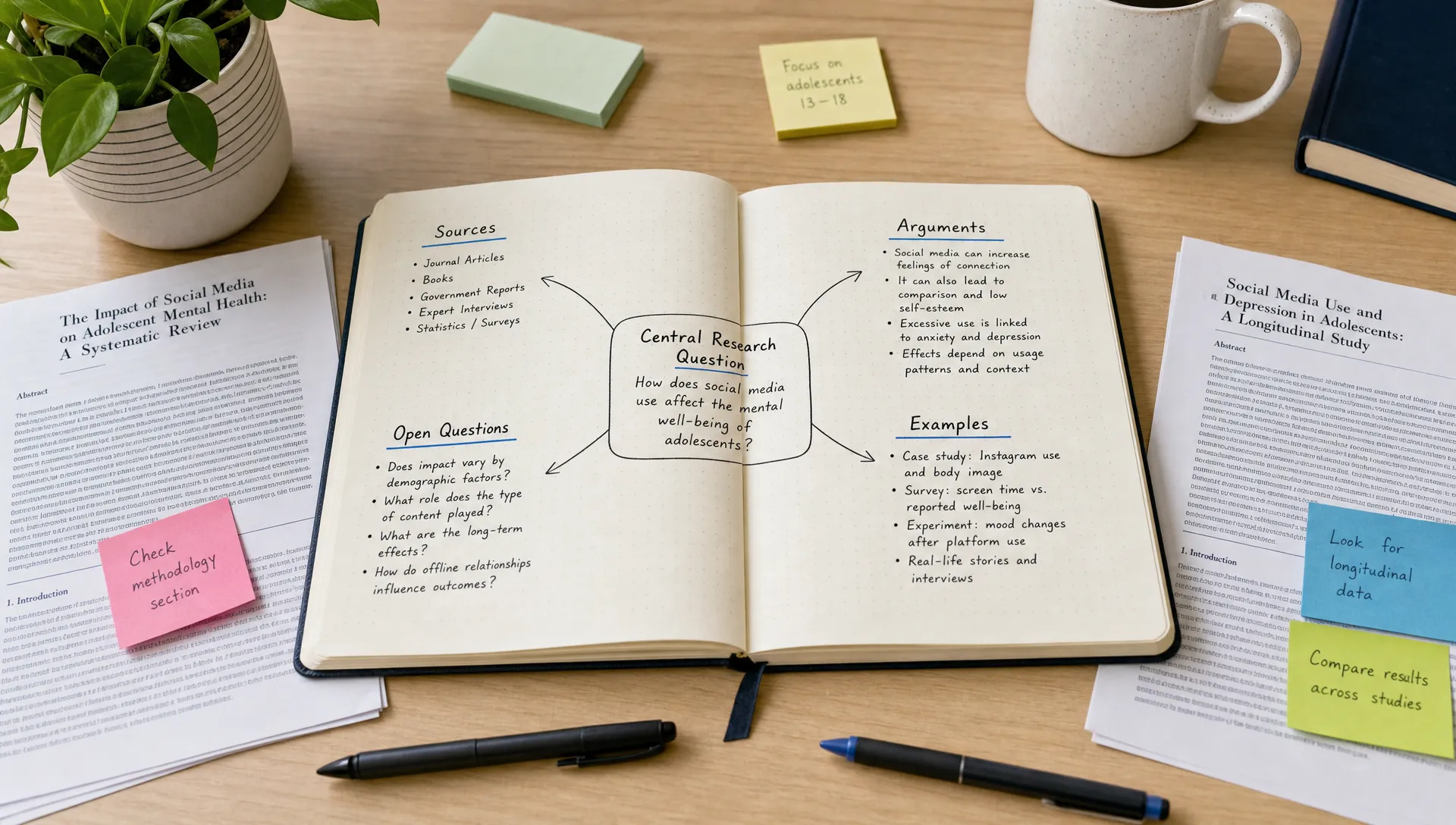
Start with one question
Do not begin with a vague topic like “climate change,” “machine learning,” or “marketing strategy.” Start with a question.
For example:
- What are the main causes and effects described in this chapter?
- What is the author’s argument, and what evidence supports it?
- What decisions does this report suggest we need to make?
- What can this video become: a thread, newsletter, lesson, or script?
A clear question keeps your map from becoming a dumping ground.
Put the main idea in the center
The center of the map should be the main idea you are trying to understand, not necessarily the title of the source.
For a research paper, the center might be the paper’s core claim. For a business report, it might be the decision the report is meant to support. For a lecture, it might be the concept that connects the whole lesson.
This small change makes the map more useful because it organizes around meaning, not just labels.
Create first-level branches for major categories
Your first branches should be broad enough to hold details but specific enough to guide thinking.
For a research paper, useful branches might include method, findings, limitations, prior work, implications, and questions. For a textbook chapter, they might include definitions, key processes, examples, exceptions, and exam risks.
If you are not sure what branches to use, read or watch once for structure before mapping. You can also use a tool like unrav.io to simplify the source into a clearer explanation, then convert that explanation into branches manually.
If you want more detail on when mapping helps with dense material, this guide on when to use a mind map maker for reading and research explains why maps are most useful when ideas are tangled rather than merely long.
Use short labels, not full sentences
A mind map is not a transcript. Long sentences make the map hard to scan.
Use compact labels such as “sample size,” “main objection,” “counterexample,” “policy impact,” or “open question.” If you need the full quote or paragraph, attach it as a note or keep it in your source document.
The map should show relationships quickly. It does not need to contain everything.
Add connections across branches
The most valuable part of mapping often happens when two branches connect. A limitation may affect a finding. A definition may explain an example. A customer problem may connect to a product feature. A historical event may explain a later decision.
Look for these cross-links deliberately. If your tool supports connectors, use them. If not, add a short note like “depends on,” “contradicts,” “causes,” “supports,” or “example of.”
This is where maps become more than pretty outlines. They become thinking tools. For a deeper angle on this, see how a brain map maker can help you connect ideas faster.
Prune the map after the first draft
Your first version should be messy. Your second version should be useful.
After mapping, remove repeated points, combine similar branches, rename vague labels, and move details to better places. If a branch has too many children, split it. If a branch has only one weak point, ask whether it belongs.
A good final map should make the topic easier to explain to someone else.
Examples: how different people can use free mind map tools
Students: turn readings into exam-ready structures
Instead of highlighting half the chapter, students can map the chapter around likely exam questions. A biology student might put “cellular respiration” in the center, then branch into stages, inputs, outputs, enzymes, common misconceptions, and practice questions.
This helps with active recall because the map shows what you should be able to explain without looking.
Researchers: compare papers without losing the thread
A researcher can create one branch per paper, then compare methods, datasets, findings, limitations, and future work. Another approach is to put the research question in the center and map each paper under themes.
This is especially useful for literature reviews because it shifts attention from “What did I read?” to “How do these findings relate?”
Professionals: summarize reports into decisions
A consultant, analyst, founder, or manager can use a mind map to turn a long report into a decision structure. The central node might be “Should we enter this market?” Branches could include customer demand, risks, competitors, costs, regulatory issues, and unknowns.
The map makes it easier to see whether the report supports action or whether more information is needed.
Creators: repurpose long content into outlines
Content creators can use mind maps to turn a podcast, article, webinar, or video into multiple formats. A central topic can branch into key ideas, stories, examples, quotes, audience questions, and possible content angles.
From there, the same map can become a newsletter, YouTube script, LinkedIn post, lesson plan, or podcast outline.
Educators: simplify complex material for teaching
Teachers can use mind maps to prepare lessons that move from simple to complex. A map can show prerequisite concepts, examples, misconceptions, discussion questions, and activities.
If the final goal is a classroom visual rather than a working map, you can later turn the structure into a cleaner infographic or handout. unrav.io also offers a way to make content instantly visual when an infographic is a better format than a mind map.
Common mistakes to avoid
A free mind map generator will not automatically make your thinking clear. These mistakes are common, especially when people are mapping dense material for the first time.
| Mistake | Why it hurts clarity | Better approach |
|---|---|---|
| Adding every detail | The map becomes as overwhelming as the source | Map only ideas that support your question |
| Using vague branches | Labels like “important” or “notes” do not guide thinking | Use meaningful categories like “evidence” or “limitations” |
| Designing too early | Formatting can distract from understanding | Make a rough draft first, polish later |
| Treating the map as final | First maps often reveal confusion | Revise after you see the structure |
| Ignoring cross-links | You miss relationships between ideas | Add connectors for cause, contrast, support, and examples |
The goal is not to create the biggest map. The goal is to create the clearest one.
Free versus paid mind map generators: when should you upgrade?
Many people can stay on free tools for a long time, especially for personal study, early research, or occasional planning. You may not need to pay if you mostly create small maps, export simple images, or work alone.
Consider upgrading only when the limitation is hurting your workflow. Common reasons include needing more private maps, higher-quality exports, team permissions, version history, presentation tools, or integrations with other work systems.
Before upgrading, test whether the tool actually fits your thinking style. A paid plan will not fix a tool that feels awkward or too complex for your use case.
Frequently Asked Questions
What is the best mind map generator free tool? The best option depends on your task. diagrams.net is strong for flexible free diagramming, Xmind is good for classic mind maps, Miro is useful for team workshops, and Obsidian Canvas is helpful for connected research notes.
Is there a completely free mind map generator? Yes, tools like diagrams.net and Excalidraw can be used for free and are flexible enough for mind mapping. Some dedicated mind map apps also have free plans, but they often include limits on private maps, exports, or collaboration.
Can AI generate a mind map from a PDF or video? Some tools can create AI-assisted structures from content, but you should still review the result. AI can help surface main ideas, but your judgment is needed to check accuracy, remove weak points, and decide what relationships matter.
Are mind maps better than summaries? They solve different problems. A summary condenses content into a shorter form. A mind map shows relationships between ideas. For complex topics, using both can be effective: summarize first, then map the structure.
What should I put in the center of a mind map? Put the core question, claim, decision, or concept in the center. Avoid using a broad title if it does not explain what you are trying to understand.
Do mind maps help with studying? They can help when used actively. Instead of copying notes into a visual format, use the map to organize concepts, test recall, explain relationships, and identify what you still do not understand.
Make complex content easier to map
A mind map is only as clear as the ideas you put into it. If you are starting from a dense PDF, long article, YouTube video, podcast, or pasted text, first make sure you understand the material well enough to organize it.
With unrav.io, you can reframe complex content into clearer outputs using different thinking modes, then use that structure as the starting point for your map. It is not a replacement for reading carefully, but it can help you move from information overload to a cleaner first draft of understanding.