

How to Repurpose Content for Social Media From One Article
One good article can give you far more than one social post. The hard part is knowing what to extract, how to reshape it for each platform and how to avoid sounding repetitive.
If you want to repurpose content for social media from one article, do not start by copying paragraphs into LinkedIn, X, Instagram or TikTok captions. Start by separating the article into reusable ideas: claims, examples, frameworks, statistics, questions, definitions and audience-specific takeaways. Each one can become a different post with a different job.
This guide gives you a practical workflow you can use for blog posts, research summaries, reports, essays, technical explainers or long-form thought pieces.
Repurposing is not the same as reposting
Reposting takes one piece of content and shares it again. Repurposing changes the shape of the idea so it fits a new context.
A strong article might include a main argument, supporting evidence, a step-by-step method, a case example and a few warnings. On social media, those parts should not all be treated the same way. A framework may work as a carousel. A surprising finding may work as a short text post. A process may work as a thread. A caution may work as a trust-building post for professionals.
The goal is to create useful variation, not volume for its own sake. If each post helps the audience understand one clear idea, the article can support a week or more of social content without becoming repetitive.
Step 1: Break the article into content units
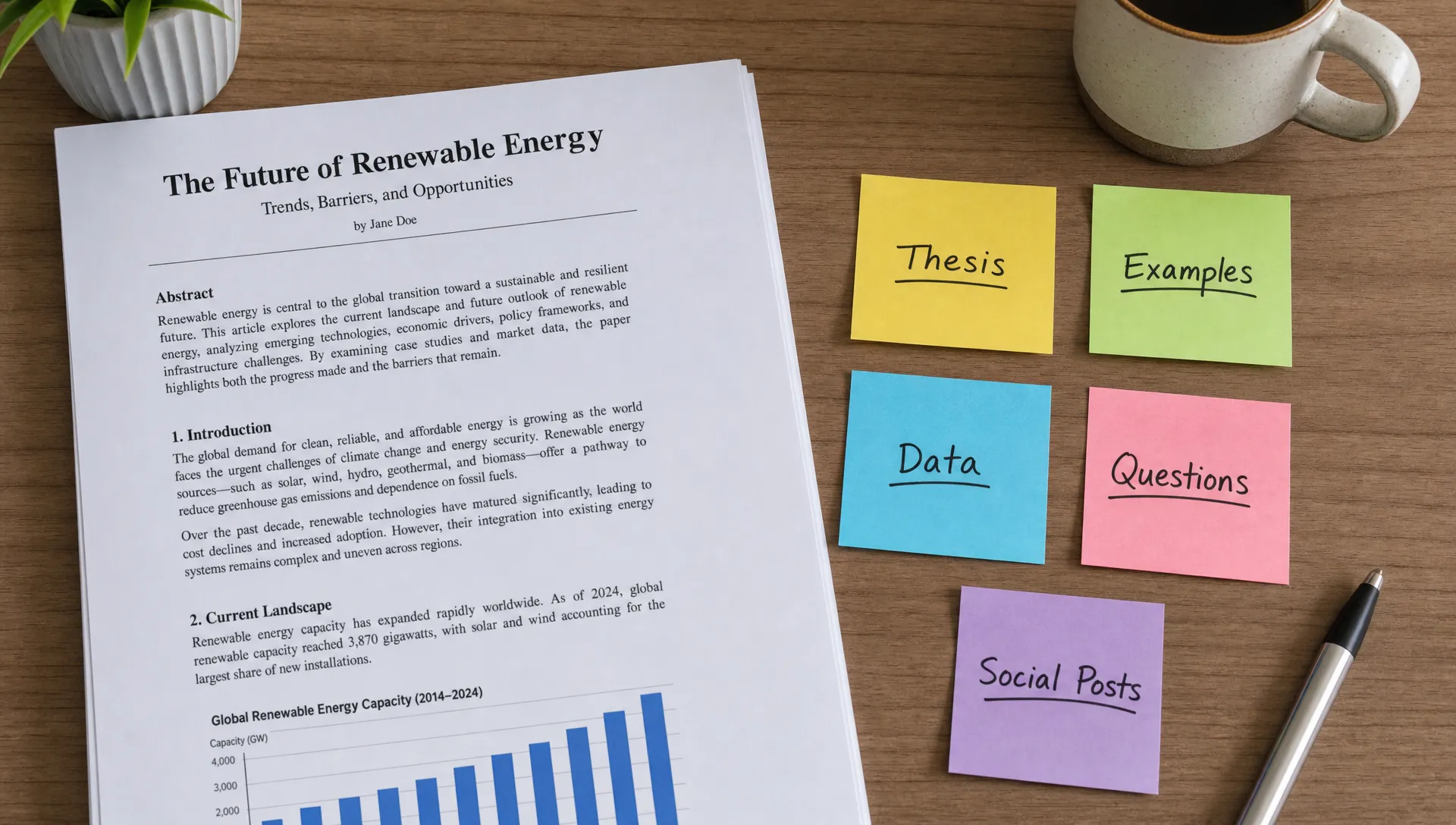
Before writing social posts, turn the article into a simple content map. Read through the article and identify the parts that can stand on their own. You are looking for reusable meaning, not just catchy sentences.
| Article element | What to look for | Social media use |
|---|---|---|
| Main thesis | The central claim or argument | LinkedIn post, X post, creator note |
| Key steps | A process the reader can follow | Thread, carousel, short tutorial |
| Definitions | Concepts the audience may not understand | Educational post, glossary card |
| Examples | A real or hypothetical situation | Case-style post, short video script |
| Data or evidence | Stats, findings or cited research | Visual post, credibility-building post |
| Caveats | Limits, risks or common mistakes | Trust-building post, expert commentary |
| Questions | Problems the article answers | Hook for posts, poll, discussion prompt |
For dense articles, this step matters more than speed. If you flatten the article into a short summary too early, you may lose the details that make it useful. If you use AI for the first pass, ask it to separate claims, examples, methods and caveats rather than simply summarize the whole piece. The same principle applies when you want AI to summarize an article without losing nuance: structure the output by purpose, not just length.
Step 2: Choose 3 to 5 angles before writing
Most weak repurposed content fails because every post has the same angle. The article says one thing, so every social post says a slightly shorter version of that same thing.
Instead, pick a few angles that match what different people might care about. For example, one article about summarizing research papers could become a student study tip, a researcher workflow post, a teacher resource, a productivity post for analysts and a short myth-busting thread.
Useful angles include:
- Problem angle: What pain does the article help solve?
- How-to angle: What exact process can someone follow?
- Mistake angle: What do people commonly get wrong?
- Evidence angle: What finding, data point or source supports the idea?
- Audience angle: What does this mean for students, researchers, managers, creators or educators?
- Opinion angle: What point of view does the article defend?
This is also where accuracy matters. If the article covers a specialized field like finance, medicine, law or compliance, do not make the social version more dramatic than the source. For instance, if you are repurposing an article about regulatory operations and it references an AI platform for compliance teams, preserve the exact scope of the claim instead of turning it into a broad promise about replacing compliance work.
Step 3: Match each idea to the right social format
Different platforms reward different shapes of information. You do not need to publish everywhere. Choose the formats your audience already uses and adapt the article to those formats deliberately.
| Platform or format | Best for | How to use one article |
|---|---|---|
| Professional insight, lessons, frameworks | Turn the article thesis into a clear point of view with one example | |
| X or Threads | Fast ideas, commentary, concise lessons | Break a process or argument into short connected posts |
| Instagram carousel | Visual learning, steps, comparisons | Convert a framework, checklist or before-and-after explanation into slides |
| TikTok, Reels or Shorts | Quick teaching, creator commentary | Explain one idea from the article in 30 to 60 seconds |
| Reddit or community posts | Discussion, feedback, niche expertise | Ask a specific question based on the article’s problem or finding |
| Newsletter snippet | Deeper audience relationship | Share a condensed version with one personal note or practical takeaway |
A long article can also become a visual asset if the structure is clear. If the article contains a process, comparison or layered argument, you can turn it into a shareable infographic and use that as a carousel, newsletter visual or companion image for a post.
Step 4: Build a one-article content plan
Once you have your content units and angles, create a simple publishing plan. This keeps you from improvising every post and helps you cover the article from multiple directions.
Here is a practical one-week plan from a single article:
| Day | Format | Post idea | Purpose |
|---|---|---|---|
| Monday | LinkedIn post | Main argument of the article with one concrete example | Establish the big idea |
| Tuesday | X or Threads thread | 5 steps from the article rewritten as short instructions | Teach the process |
| Wednesday | Carousel | Key framework, checklist or comparison from the article | Make the idea visual |
| Thursday | Short video script | Explain one common mistake the article addresses | Build trust and clarity |
| Friday | Discussion post | Ask the audience how they handle the problem | Encourage replies |
| Saturday | Quote or insight post | Share one memorable idea with context | Reinforce the message |
| Sunday | Newsletter or recap | Summarize the week’s idea and link back to the full article | Send people to the source |
You can compress this into three posts or expand it into two weeks, depending on the depth of the article. A short opinion piece may only support a few posts. A research-heavy report or technical guide may support many more.
Step 5: Rewrite for the platform, not just the word count
Shortening an article is not enough. A social post needs its own opening, structure and payoff.
For example, imagine your article is about how to read research papers faster. The same idea could become several different posts:
- LinkedIn: Most people read research papers from top to bottom. A better workflow is to identify the research question, method, findings and limitations first.
- X or Threads: A thread that breaks the process into 6 short steps, starting with the abstract and ending with notes you can reuse.
- Instagram carousel: Slide 1 introduces the problem, slides 2 to 6 explain the reading workflow and the final slide gives a checklist.
- Short video: A 45-second explanation of why reading the discussion section too early can distort your understanding.
- Newsletter: A longer reflection on how better reading habits save time for students, researchers and knowledge workers.
Each version comes from the same article, but each one does a different job. That is what makes repurposing effective.
Step 6: Use AI to speed up the workflow without losing judgment
AI can help you move faster, especially when the source article is long or complex. It can identify themes, extract key points, suggest social angles and rewrite ideas in different formats. But you still need to check the output against the source.
A helpful AI workflow looks like this:
- Ask for the article’s main claim, supporting points, examples and caveats.
- Ask for five social media angles based on different audiences.
- Ask for post drafts by platform, such as a LinkedIn post, carousel outline or short video script.
- Compare each draft with the original article to make sure the meaning has not drifted.
- Edit the language so it sounds like you, not like a generic template.
unrav.io is useful for this kind of workflow because it is built around understanding and reframing content, not only shortening it. You can use it with articles, PDFs, YouTube videos, podcasts or pasted text, then switch between modes depending on whether you need a quick grasp, a deeper explanation or a teachable version of the material.
If you publish regularly, a system matters more than one-off inspiration. A dedicated workflow or content repurposing tool can save time for creators by helping turn one source into outlines, posts, scripts and other formats while keeping the original idea organized.
Step 7: Edit every post for clarity and trust
Repurposed content should still feel native to the platform. Before publishing, check whether the post works as a standalone piece. Someone seeing it in a feed may not know the original article exists.
Use this quick editorial checklist:
- Does the post make one clear point?
- Is the hook specific, not vague or exaggerated?
- Does the post preserve the meaning of the original article?
- Is there enough context for someone who has not read the source?
- Is the call to action natural for the format?
- Have you removed unnecessary jargon?
- If the post includes a claim, can you trace it back to the article?
For technical, academic or regulated topics, this review is not optional. Social media rewards brevity, but brevity can distort meaning if you remove the method, limits or context behind a claim.
Common mistakes when repurposing one article
Mistake 1: Turning every post into a summary. A summary is useful once, but repeated summaries feel redundant. Use the article to create different teaching moments, opinions, questions and examples.
Mistake 2: Starting with platforms instead of ideas. If you begin by asking what should I post on LinkedIn today, you may force the content into a weak format. Start with the strongest ideas in the article, then choose the platform.
Mistake 3: Removing nuance for the sake of engagement. A punchier post is not better if it misrepresents the source. This is especially risky with research, technical material and industry analysis.
Mistake 4: Forgetting the reader’s stage. A beginner may need definitions and examples. A specialist may want methods, tradeoffs and caveats. The same article can serve both if you create different versions.
Mistake 5: Publishing without a path back to the source. Not every post needs a link, but your overall plan should help interested readers find the full article, report or resource.
Frequently Asked Questions
How many social media posts can you create from one article? It depends on the depth of the article. A short article may support 3 to 5 posts, while a detailed guide, report or research summary may support 10 or more. Focus on distinct ideas rather than hitting a fixed number.
What is the easiest way to repurpose content for social media? The easiest method is to identify the article’s main claim, pull out the steps or examples, choose 3 to 5 angles and rewrite each angle for a specific platform. Do not start by copying paragraphs directly into post drafts.
Should I use AI to repurpose articles? Yes, AI can help with extraction, outlining and format changes. You should still review every post for accuracy, tone and context, especially if the article includes research findings, technical claims or professional advice.
Which social media format works best for repurposed articles? Frameworks and step-by-step ideas often work well as carousels or threads. Strong opinions and lessons work well on LinkedIn. One specific tip or mistake can work well as a short video.
How do I avoid repeating myself when repurposing one article? Change the angle, audience and format. One post can teach the process, another can explain a mistake, another can show an example and another can ask a discussion question.
Turn one article into a repeatable social workflow
Repurposing works best when you treat the article as a source of ideas, not a block of text to chop into smaller pieces. Start with the meaning, separate the reusable parts, choose angles for different audiences and adapt each post to the platform where it will appear.
If you want help understanding a long article before turning it into social posts, try using unrav.io to reframe the source into clearer outputs. A better first read usually leads to better posts, better teaching material and less time staring at a blank content calendar.