
How to Learn From Videos and Remember What Matters
Watching a video can feel productive in the moment. You follow the explanation, nod along with the examples and maybe even feel like you understand the topic. Then, a day later, you remember the speaker, a few interesting points and almost none of the structure.
That is the common problem with video learning: videos are easy to consume but hard to retain unless you watch them actively. If you want to learn from videos and remember what matters, you need a workflow that turns a moving stream of information into clear questions, notes, connections and review prompts.
This guide gives you a practical method you can use for lectures, tutorials, conference talks, explainer videos, recorded classes, interviews and webinars. The goal is not to take perfect notes on every detail. The goal is to leave each video with something you can explain, use or revisit later.
Why videos are easy to watch and hard to remember
Videos create a strong feeling of understanding because they give you a lot of support. The speaker controls the order. Visuals provide context. Examples arrive at the right time. If the video is well made, you rarely have to rebuild the logic yourself.
That support is useful, but it can also hide weak recall. You may recognize an idea while the video is playing without being able to produce it later from memory. Recognition feels like learning. Recall proves learning.
Videos also move at their own pace. If a dense idea appears at minute 18, the next idea may arrive before you have processed the first one. Long videos make this harder because important points are mixed with introductions, stories, sponsor segments, examples, side comments and repeated explanations.
A better approach is to treat videos as source material, not as the final learning product. The video gives you the raw material. Your job is to extract the structure, test your understanding and build memory cues you can use again.
Start with a learning target before you press play
Before watching, decide what you want from the video. This sounds simple, but it changes how you pay attention. A student preparing for an exam should watch differently from a product manager scanning a market analysis or a creator looking for content angles.
A good learning target is specific enough to guide your attention. Instead of writing “learn machine learning,” write “understand why overfitting happens and how regularization helps.” Instead of “watch interview,” write “extract three arguments I can use in my newsletter.”
Use one of these targets before you start:
| Goal | What to focus on while watching | Output to create after watching |
|---|---|---|
| Study for class | Definitions, formulas, examples and likely exam questions | Recall questions and concise study notes |
| Learn a technical skill | Steps, decisions, mistakes and prerequisites | A checklist or practice plan |
| Understand research | Claims, methods, evidence and limitations | A structured summary with open questions |
| Prepare work insight | Trends, risks, recommendations and assumptions | A brief for your team or project |
| Create content | Strong ideas, stories, examples and contrasts | An outline, script or post draft |
This small step prevents “interesting video drift,” where everything feels useful but nothing becomes usable.
Watch in passes instead of trying to capture everything
One-pass watching is fine for entertainment. For learning, it often creates shallow notes and scattered highlights. A two-pass method works better for complex videos because it separates orientation from extraction.
During the first pass, aim for a rough map. Watch at normal speed or slightly faster if the content is familiar. Do not pause constantly. Your only task is to understand the shape of the video: main sections, recurring terms, major claims and moments that seem worth revisiting.
During the second pass, slow down and extract. Return to the most important timestamps. Pause when the speaker explains a core concept, gives a useful example or connects two ideas. This is when you turn the video into notes, questions and action items.
For short videos under 10 minutes, these two passes may be quick. For a 60-minute lecture, the first pass might be a skim through the transcript, chapters or timestamps before watching selected sections carefully.
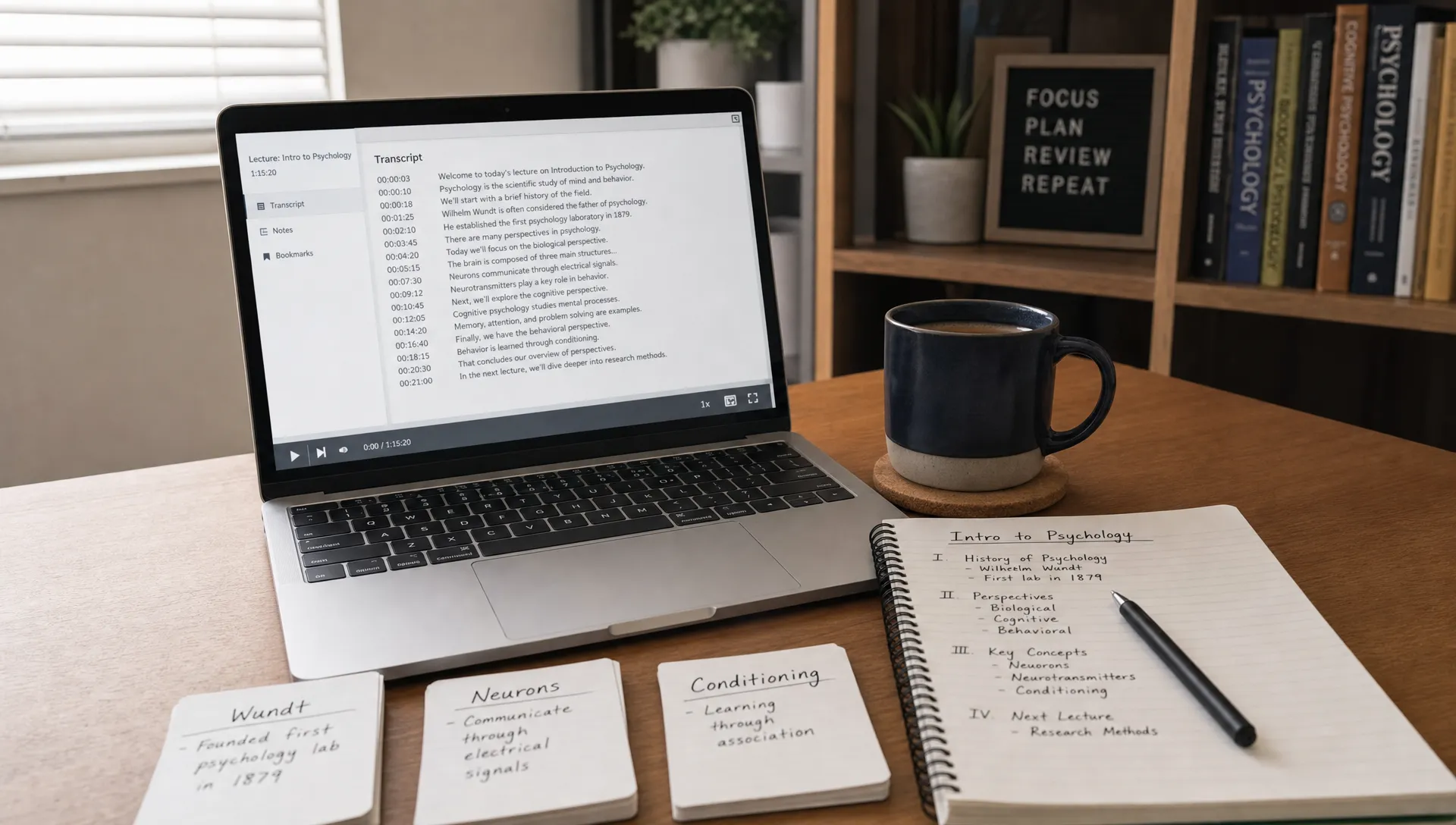
If you are working with YouTube specifically, a repeatable YouTube video to notes workflow can help you move from transcript to timestamped outline to usable learning notes without copying everything manually.
Turn the video into notes you can actually reuse
Good video notes are not a transcript. A transcript preserves what was said. Notes preserve what you need to understand, remember or do.
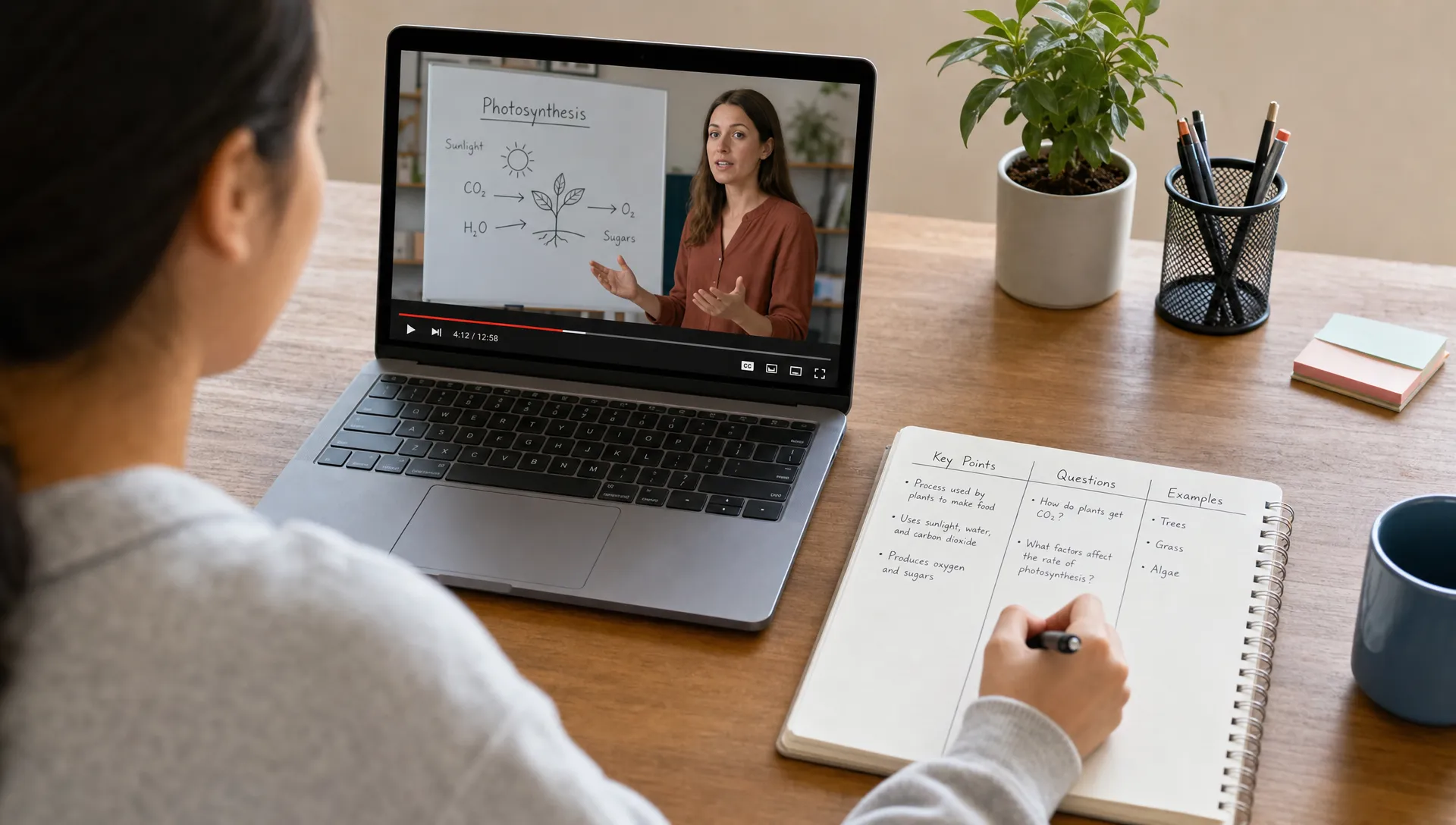
The easiest format is a three-column note: timestamp, idea and why it matters. The timestamp lets you return to the original explanation. The idea captures the point in your own words. The “why it matters” column forces you to connect the point to your goal.
For example, after watching a video on climate models, a weak note might say: “Model uncertainty discussed.” A better note would say: “12:40, model uncertainty comes from assumptions about emissions, climate sensitivity and feedback loops. This matters because policy decisions depend on ranges, not exact predictions.”
Here is a simple way to convert raw video content into useful learning notes:
| What you notice in the video | Better note format |
|---|---|
| A definition | “X means... Example: ... Non-example: ...” |
| A process | “Step 1 leads to Step 2 because...” |
| A claim | “The speaker argues that... Evidence used: ...” |
| A surprising point | “I expected... but the video says... because...” |
| A practical tip | “Use this when... Avoid it when...” |
| A confusing section | “I do not understand... Possible question to research: ...” |
This format works because it makes your notes searchable, reviewable and connected to context. It also helps you avoid collecting attractive quotes that do not support real understanding.
Pause for active recall, not just clarification
Most people pause videos to catch up. That helps, but you should also pause to retrieve. Retrieval practice is one of the strongest memory tools we have. In a well-known paper published in Science, Henry Roediger and Jeffrey Karpicke found that testing improved long-term retention more than repeated studying for prose material (Roediger and Karpicke, 2006).
You can apply this to videos with small pauses. After a major section, stop the video and answer from memory before looking at your notes.
Try prompts like these:
- What was the main point of the last section?
- What problem does this idea solve?
- What example did the speaker use?
- How does this connect to something I already know?
- What would I ask if I had to challenge this argument?
- Could I explain this to someone in two sentences?
The pause matters because it reveals what you can produce without support. If you cannot answer, that is not failure. It is useful feedback. Rewatch the key part, rewrite the point in your own words and test yourself again later.
Decide what matters and ignore the rest
Remembering more is not always the goal. Often, the real skill is deciding what deserves memory.
A long expert interview may contain stories, caveats, examples, repeated points, personal opinions and one or two ideas that change how you think. A technical tutorial may include setup details you only need once and conceptual steps you need many times. A lecture may include exam-critical distinctions mixed with background context.
Use a simple relevance filter. Mark a point as worth keeping if it meets one or more of these tests:
- It explains the main idea of the video.
- It changes how you understand the topic.
- It helps you solve a problem or complete a task.
- It is likely to appear on an exam, in a meeting or in future work.
- It connects two ideas you previously kept separate.
- It is a question, limitation or uncertainty you need to investigate.
Everything else can stay in the transcript or original video. You do not need to turn every sentence into a note.
For students, this filter reduces study overload. For researchers, it separates the author’s actual contribution from background explanation. For professionals, it turns long webinars into decisions, risks and next steps. For creators, it helps distinguish “interesting” from “useful for my audience.”
Explain the video after watching
A strong test of video learning is whether you can explain the content without replaying it. This does not mean reciting the video. It means reconstructing the idea in your own words.
After watching, write a short explanation from memory. Keep it plain. If the video was about Bayesian reasoning, explain what problem it solves, what the key terms mean and how a simple example works. If the video was a design tutorial, explain the sequence of decisions rather than listing menu clicks.
Then check your explanation against the video or transcript. Look for missing steps, vague language and unsupported claims. Revise your notes only after you have tried to recall first.
This is where “teach it” methods are useful. When you explain a topic as if teaching someone else, you expose gaps quickly. You may notice that you can repeat a phrase but cannot define it, or that you understand one example but not the general rule. If this is a recurring issue, the article on understanding beyond memorizing facts explores the difference in more depth.
In unrav.io, you can use modes such as quick grasp or teach-it to reframe a video link or transcript around your current goal. That can be helpful when you need a first structure, a simpler explanation or a different angle before making your own notes.
Review with spacing so the ideas survive tomorrow
If you only touch the material once, your memory will be fragile. Review is where video learning becomes durable.
The review does not need to be long. In fact, short recall sessions often work better than rereading full notes. The key is to space them out and make yourself retrieve before checking.
A simple review schedule looks like this:
| Time after watching | What to do | Keep it short by focusing on |
|---|---|---|
| Same day | Write a 5-sentence summary from memory | Main point, 2 key ideas and 1 question |
| Next day | Answer your recall questions without notes | Gaps and confusing terms |
| One week later | Rebuild the outline from memory | Structure and relationships |
| Before using the material | Apply the idea to a problem, essay, meeting or project | Transfer, not just recall |
For exam preparation, turn notes into flashcards or practice questions. For work, convert them into a brief or checklist. For research, connect the video to papers, sources and competing claims. For content creation, revisit the notes when drafting an outline so the video becomes input, not a copied structure.
Adapt the workflow to your type of video
Not all videos should be handled the same way. A dense lecture needs different attention from a tutorial or panel discussion.
For lectures, focus on definitions, frameworks, examples and likely assessment points. Pause after each section and write one recall question. If the lecture follows slides, rebuild the slide logic from memory rather than copying slide text.
For tutorials, focus on decision points. Do not just note “click this, then click that.” Capture why the instructor chose a setting, what could go wrong and how you would adapt the process to a different project.
For interviews and podcasts with video, focus on claims and stories. Separate what the guest experienced from what they recommend. A story may be memorable, but the underlying principle is what you need to keep.
For conference talks, focus on the thesis, evidence and limitations. Many talks compress a lot of context. Your notes should preserve the argument, not every slide.
For recorded meetings or webinars, focus on decisions, risks, owners and follow-up questions. If you are watching for work, your output should help someone act.
Use AI carefully to reduce friction
AI can make video learning easier, especially when you are dealing with long videos, transcripts or several sources on the same topic. It can help you extract an outline, reframe a difficult explanation, generate recall questions or compare a video with your existing notes.
The important point is that AI should support your thinking, not replace it. A generated summary can give you a first map, but you still need to check the source, decide what matters and test your recall.
unrav.io is built around this kind of learning workflow. You can use it with YouTube videos, PDFs, podcasts, pasted text and links, then apply different thinking modes depending on whether you need a quick grasp, a deeper explanation or a teaching-style breakdown. Since it is designed around comprehension rather than simple summarization, it can fit into the steps above without turning the process into passive reading.
For example, you might use unrav.io to get a first outline of a 45-minute lecture, then make your own recall questions from the sections that matter. Or you might use teach-it mode on a confusing part, then write your own explanation afterward. If you are choosing tools for study, this guide on what makes a good AI study tool for deep learning can help you evaluate whether a tool supports recall and understanding rather than only producing summaries.
Common mistakes that make video learning weaker
The most common mistake is confusing completion with learning. Finishing a playlist feels satisfying, but the number of watched videos says little about what you can explain or apply.
Another mistake is over-highlighting. If every idea is marked as important, no idea is prioritized. Keep fewer notes and make them stronger.
A third mistake is skipping the recall step. Rewatching can help when you are confused, but repeated viewing without retrieval often creates familiarity rather than durable memory.
Finally, many learners never turn videos into an output. The output can be small: a summary, a diagram, a checklist, a flashcard set, a question list or a paragraph explaining the idea. Without an output, the video remains an experience instead of becoming knowledge you can use.
A simple workflow you can use today
Use this process for your next learning video:
- Set one target: Decide what you want to understand, use or create from the video.
- Map the video first: Identify the main sections before taking detailed notes.
- Extract only what matters: Capture timestamps, ideas and why each point matters.
- Pause for recall: After each major section, explain the point from memory.
- Create a final output: Write a summary, checklist, study guide or set of questions.
- Review with spacing: Return the next day and one week later using recall, not rereading.
This workflow is simple enough for a 12-minute explainer and strong enough for a graduate lecture. The more complex the video, the more important the structure becomes.
Frequently Asked Questions
What is the best way to learn from videos? The best way is to watch with a goal, take structured notes, pause for active recall and review the key ideas later. Passive watching can be useful for exposure, but durable learning usually requires retrieval and some kind of output.
Should I take notes while watching or after watching? Use both. During the video, capture timestamps and brief cues. After watching, turn those cues into clearer notes from memory. This helps you avoid copying the speaker word for word and makes your notes more useful for review.
How do I remember a long educational video? Break it into sections, summarize each section in your own words and create recall questions. Review those questions the next day and again later. For very long videos, start with a transcript or outline so you can focus on the most relevant parts.
Can AI help me learn from videos? Yes, AI can help by creating outlines, simplifying difficult sections and generating questions from a video or transcript. It should still be paired with your own judgment, source checking and active recall.
Is rewatching a video a good study method? Rewatching can help when you missed something or need to revisit a difficult explanation. For memory, it works better when combined with recall. Try answering questions first, then rewatch only the parts you could not explain.
Take the next step
The next time you open a lecture, tutorial or long interview, do not start by trying to capture everything. Start with one learning target. Build a rough map. Extract the few ideas that matter. Test yourself before the video does the thinking for you.
If you want help turning a video into a clearer structure, you can try unrav.io with a YouTube link, transcript or related source material. Use it to get oriented faster, then do the most important part yourself: explain, question, connect and review.